



Jump to content
View in the app

A better way to browse. Learn more.

Tinkerunity

A full-screen app on your home screen with push notifications, badges and more.

To install this app on iOS and iPadOS
  1. Tap the Share icon in Safari
  2. Scroll the menu and tap Add to Home Screen.
  3. Tap Add in the top-right corner.
To install this app on Android
  1. Tap the 3-dot menu (⋮) in the top-right corner of the browser.
  2. Tap Add to Home screen or Install app.
  3. Confirm by tapping Install.

Sascha

Members
  • Benutzer seit

  • Letzter Besuch

Alle erstellten Inhalte von Sascha

  1. ein Thema hat Sascha erstellt in: Hardware
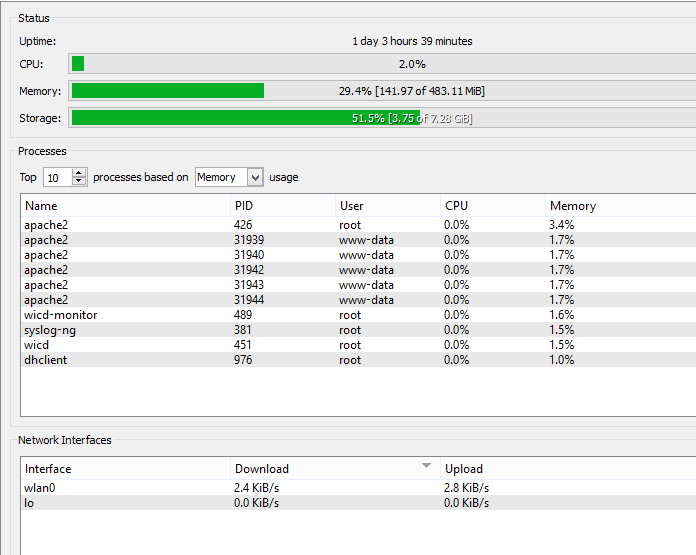
    Hallo zusammen, ich habe ein Problem mit dem Red Bricklet. Irgend etwas schreibt mir hier die Speicherkarte voll, so lange bis das Image voll ist und sich der Red Brick nicht mehr booten lässt. Ich habe nur ein Programm im Hintergrund laufen. Das Programm verbindet sich mit einem Master Brick an dem ein NFC Bricklet und ein Industrial Quad Relay Bricklet hängt. Nur wenn ein NFC Chip erkannt wird, wird eine Info in die Log Datei geschrieben. Ist mir ein Rätsel wieso mein Speicherplatz immer weniger wird. Nach einem Tag Benutzung ist der Speicherverbrauch von 47% auf 51% angestiegen und steigt immer weiter an. Jemand eine Idee, wie ich der Sache auf den Grund gehen könnte? Danke...
Configure browser push notifications

Chrome (Android)
  1. Tap the lock icon next to the address bar.
  2. Tap Permissions → Notifications.
  3. Adjust your preference.
Chrome (Desktop)
  1. Click the padlock icon in the address bar.
  2. Select Site settings.
  3. Find Notifications and adjust your preference.