




uvindex
Members
-
Benutzer seit
-
Letzter Besuch
-
Danke, die email ist raus. Ich habe inzwischen auch noch einen alten Master-Brick ausgegraben, auch an diesem bleibt das Problem bestehen.
-
Erstmal Danke für die Unterstützung. Kabeltausch und Portwechsel habe ich mehreren Varianten probiert, es zeigt sich leider immer dasselbe Bild. Kann ich sonst noch etwas probieren?
-
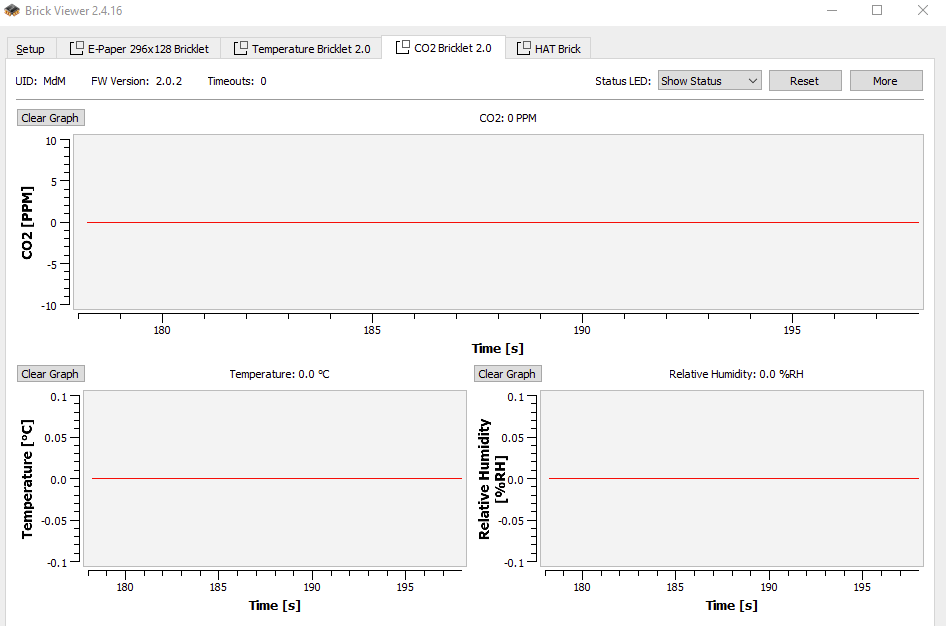
HAT ist FW Version 2.02, CO2 Bricklet ist ganz neu (gestern geliefert) und hat FW Version 2.02 . Im Viewer sehe ich keine Timeouts, die Status LED kann ich über den Viewer schalten. Ein E-Paper Bricklet und ein Temperatur Bricklet funktionieren ohne Probleme am HAT. Ich versorge den HAT über den USB-C Anschluss, braucht das CO2-Bricklet eventuell mehr Saft?
-
Hallo, ich habe das gleiche Problem mit einem CO2 2.0 Bricklet an einem HAT Brick. Konntest du das Problem lösen oder war das Bricklet defekt? Grüße Mike