GünterS
Members
-
Benutzer seit
-
Letzter Besuch
Alle erstellten Inhalte von GünterS
-
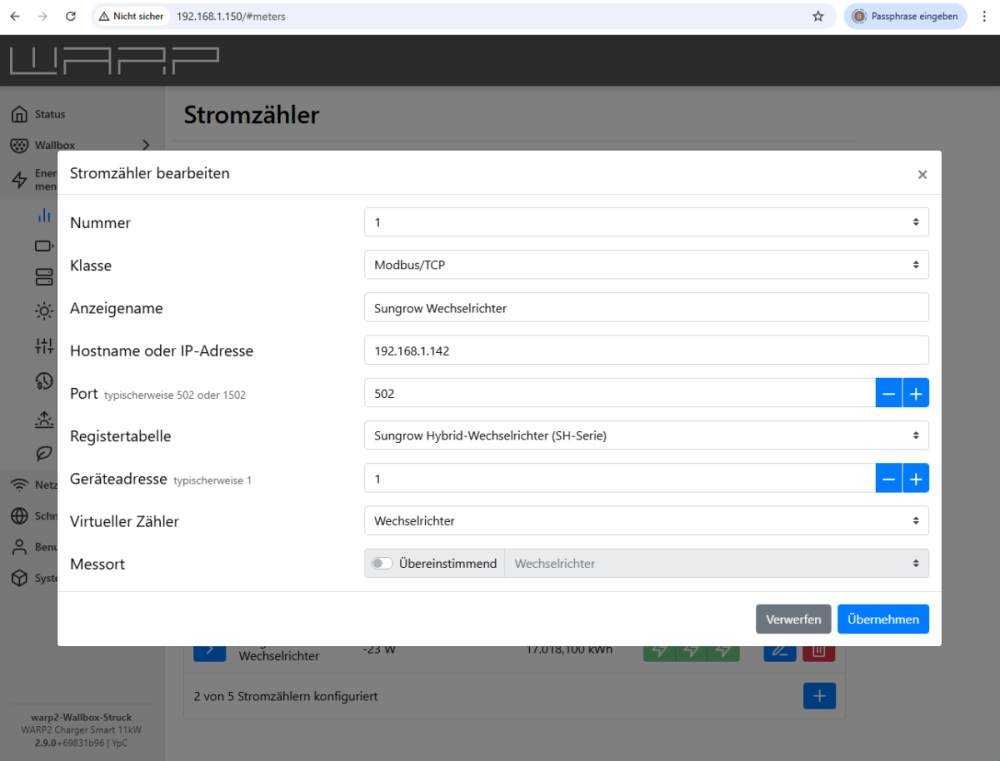
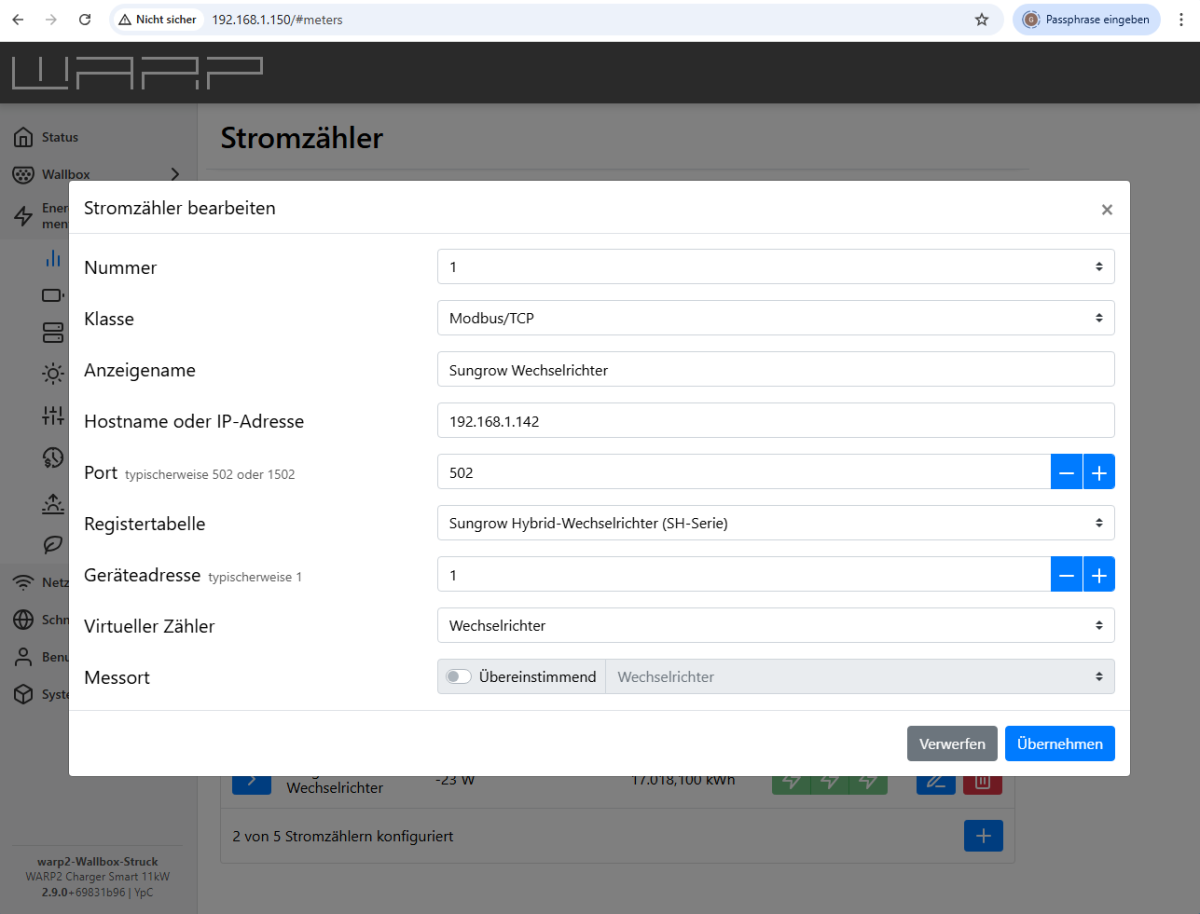
Kaum mach man's richtig, funktioniert es auch. Ich musste erst strahlenden Sonnenschein abwarten, ob die geänderte Einstellung (Virtueller Zähler: Netzanschluss) auch das erwartete Verhalten zeigt. Das ist jetzt so. Geladen wird die Mindestleistung (bei uns 6A; ca. 4 kW) und wenn die PV-Anlage mehr liefert, wird auch mehr geladen. Herzlichen Dank für die kompetente Hilfe. Ich freue mich sehr, dass ich mich schon in 2022 für die richtige (und kompetent gepflegte!) Wallbox entschieden hatte.
-
-
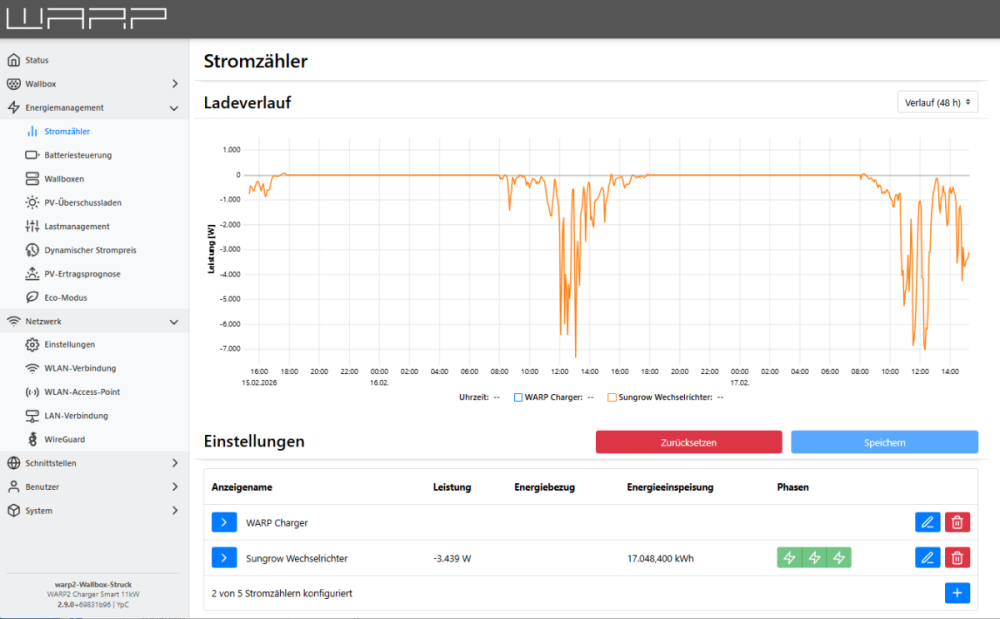
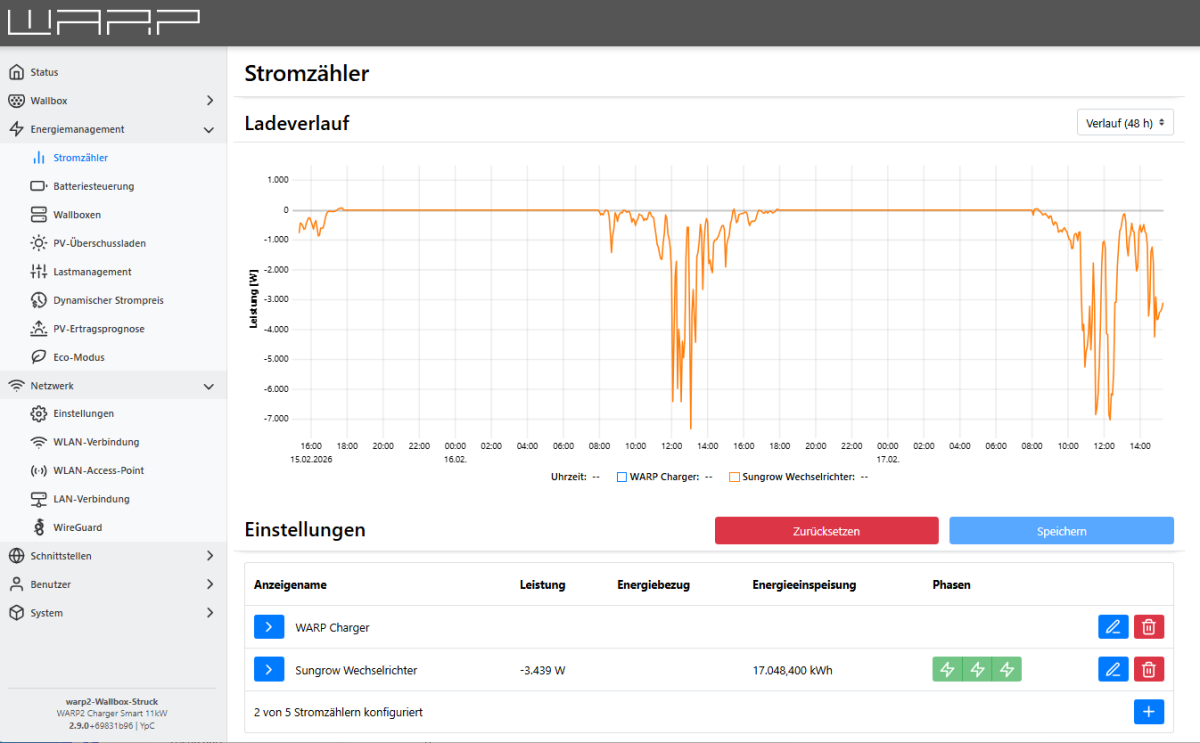
Unser erstes E-Auto ist jetzt im Einsatz - verträgt sich im Prinzip auch gut mit der WARP2-Smart. Aber das PV-Überschussladen funktioniert nicht wie erwartet. Liegt das vielleicht an der unvollständigen Kommunikation zwischen Wallbox und Sungrow-Wechselrichter? Siehe angehängte Bilder Die angezeigte "Leistung" stimmt sehr genau mit dem auch via iSolarCloud dargestellten "PV-Ertrag" überein - wenn auch mit negativem Vorzeichen. Unter "Energiebezug" wird beim Zähler aber nichts angezeigt. Was läuft hier falsch? Herzliche Grüße