



Jump to content
View in the app

A better way to browse. Learn more.

Tinkerunity

A full-screen app on your home screen with push notifications, badges and more.

To install this app on iOS and iPadOS
  1. Tap the Share icon in Safari
  2. Scroll the menu and tap Add to Home Screen.
  3. Tap Add in the top-right corner.
To install this app on Android
  1. Tap the 3-dot menu (⋮) in the top-right corner of the browser.
  2. Tap Add to Home screen or Install app.
  3. Confirm by tapping Install.

swws

Members
  • Benutzer seit

  • Letzter Besuch

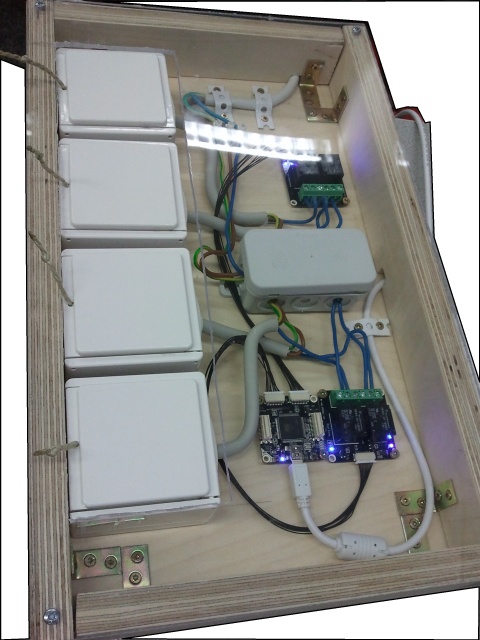
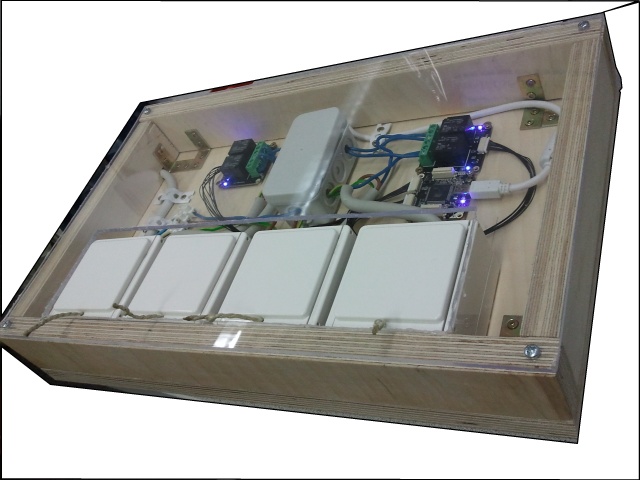
  1. freut mich, dass es euch gefällt! eine bauanleitung usw. muss ich wohl nicht online stellen, denn vom aufbau sollte es klar sein, oder ist hier eine ergänzung gewünscht?
  2. hallo, ich wollte nur kurz vorstellen, was ich gebaut habe. nur da es hier noch recht leer aussieht dachte ich mir, ich stelle mal mein umgesetztes projekt vor (auch wenn es nicht sonderlich herausfordernt von der HW / SW ist). ich habe zwei dual relay bricklets verwendet um jeweils zwei steckdosen per PC schalten zu können. das ganze ist für gesteuerte langzeitaufnahmen für eine kamera gedacht, dass dort bei minutenlangen belichtungsreihen lampen per programm an- und ausgeschaltet werden können. hier noch zwei bilder des aufbaus viele grüße
Configure browser push notifications

Chrome (Android)
  1. Tap the lock icon next to the address bar.
  2. Tap Permissions → Notifications.
  3. Adjust your preference.
Chrome (Desktop)
  1. Click the padlock icon in the address bar.
  2. Select Site settings.
  3. Find Notifications and adjust your preference.