tobiasd123
Members
-
Benutzer seit
-
Letzter Besuch
Alle erstellten Inhalte von tobiasd123
-
Geht. Das war ja zu einfach :-) Vielen Dank für das schnelle Feedback.
-
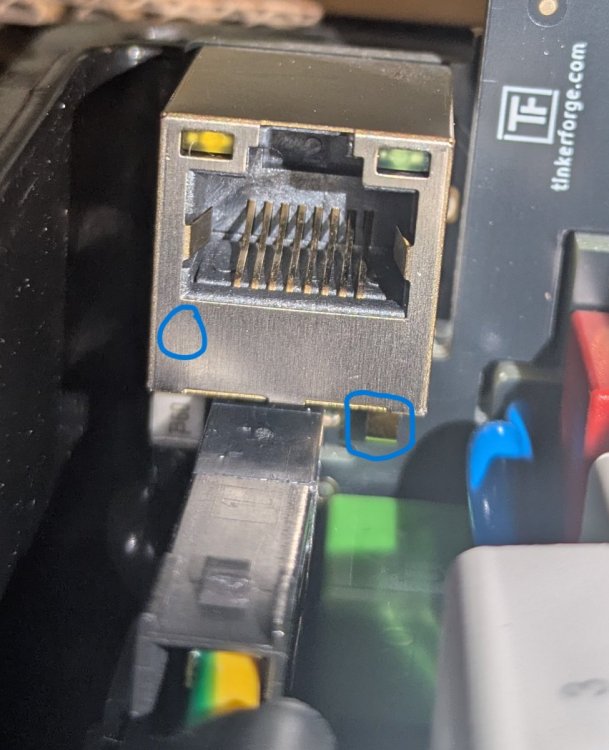
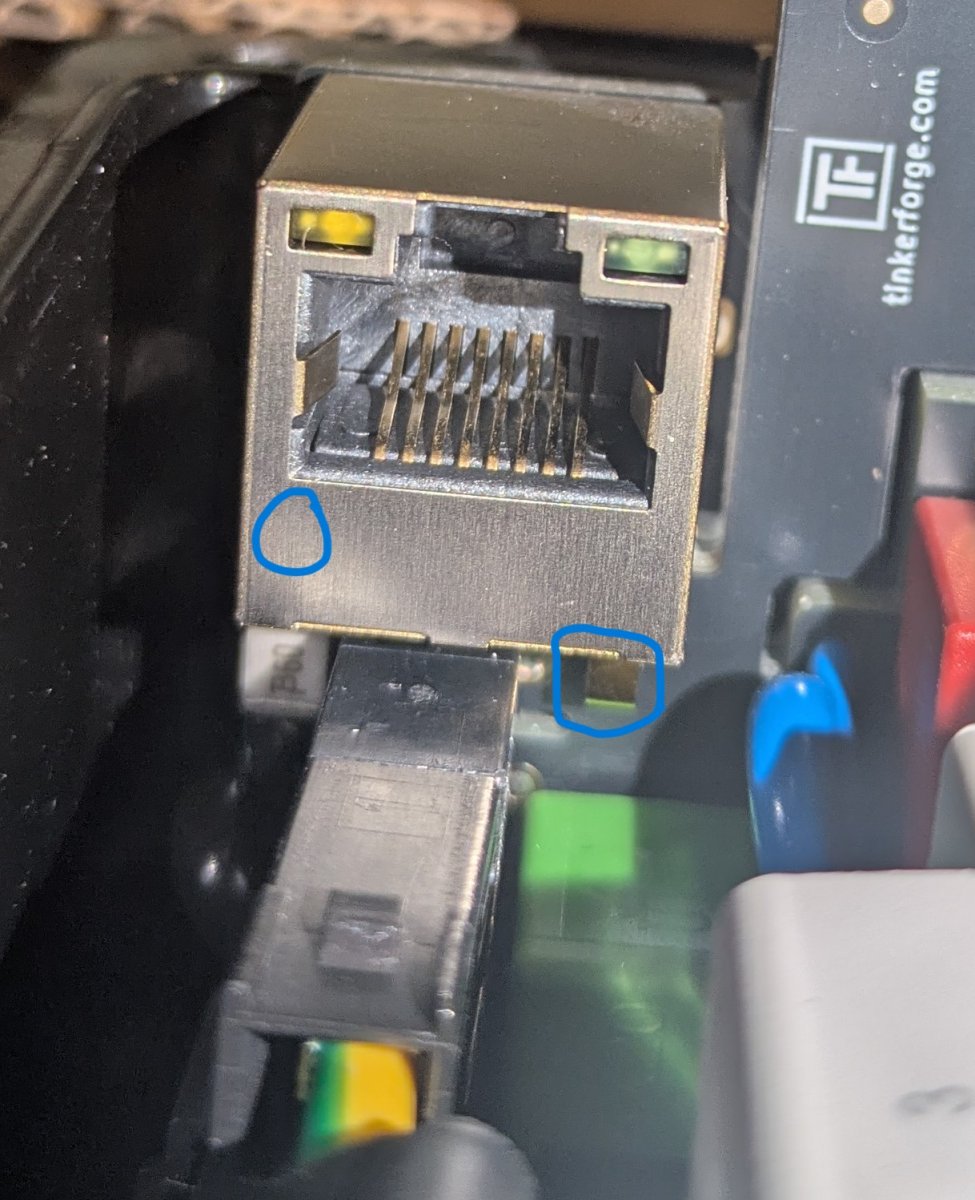
Hallo zusammen, ich habe meine neue Warp4 bekommen und sie testweise einphasig (an Schuko) angeschlossen, um das WLAN usw. schon einmal zu konfigurieren, bis der Elektriker sie bald anschließt. Ich habe den Anschluss auf 1-phasig gestellt und das WLAN konfiguriert. Jetzt startet die Box, aber der Status ist immer: Contactor error: PE error. Ein kurzer Check mit dem Multimeter zeigt, dass PE vom Stecker zur Schiene i. O. ist. Ebenso an allen Kontakten, die ein grün-gelbes Kabel haben. Auf der Platine konnte ich zumindest an der Netzwerkbuchse und dem kleinen Kontakt darunter einen Kontakt messen. Frage: Liegt das Verhalten an meinem improvisierten Anschluss oder hat die Box einen Schuss? Im Anhang noch zwei Logs, falls das hilft. Grüße Tobias warp4-87p1-Debug-Report-2026-08-29T16-36-05-950.txt warp4-87p1-EVSE-Ladeprotokoll-2026-08-29T16-31-15-324.txt