



Jump to content
View in the app

A better way to browse. Learn more.

Tinkerunity

A full-screen app on your home screen with push notifications, badges and more.

To install this app on iOS and iPadOS
  1. Tap the Share icon in Safari
  2. Scroll the menu and tap Add to Home Screen.
  3. Tap Add in the top-right corner.
To install this app on Android
  1. Tap the 3-dot menu (⋮) in the top-right corner of the browser.
  2. Tap Add to Home screen or Install app.
  3. Confirm by tapping Install.

AmentetCircle

Members
  • Benutzer seit

  • Letzter Besuch

Alle erstellten Inhalte von AmentetCircle

  1. Hi, die Version schaut gut aus. Danke sehr!
  2. Hi, Die ersten 1-2 Sekunden im IMU-Tab sehen ganz normal aus, dann stockt es kurz und fängt an, die Daten wie oben darzustellen. Ich habe dafür einen Pi 4B (8GB) mit dem standard Raspberry OS/Raspbian, die Bricklets sind direkt über den HAT-Brick mit ihm verbunden.
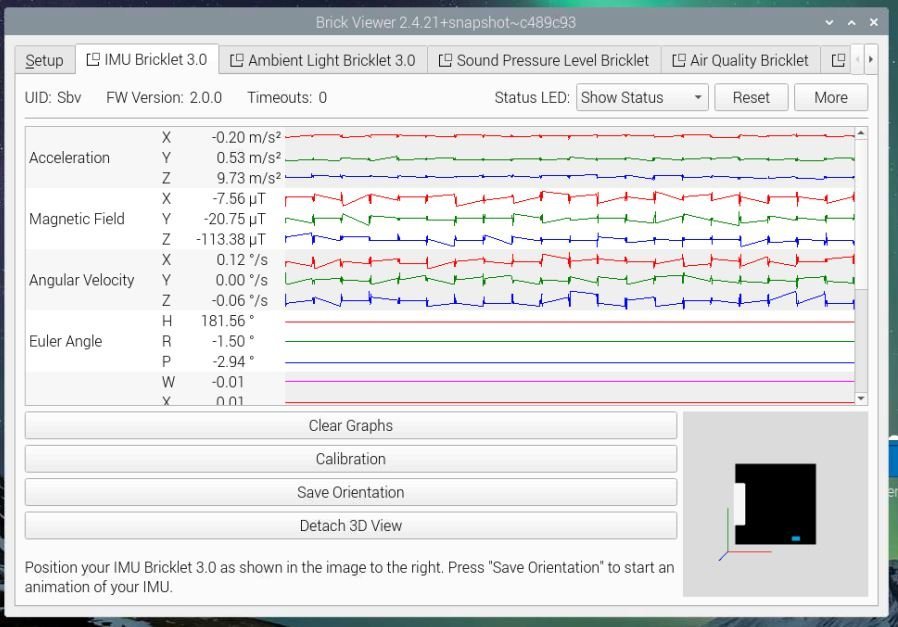
  3. Hi, Diese Version löst zwar das ursprüngliche Problem, sorgt aber für eine eher sekündliche als kontinuierliche Sensorabfrage (so wirkt es zumindest); auch der Graph baut sich nur sehr stockend auf. Während des angehängten Screenshots hatte ich auch mal kräftig am Sensor gewackelt, was sich auch gar nicht im Graphen widerspiegelt. Die Graphen aller anderen Sensoren laufen problemlos.
Configure browser push notifications

Chrome (Android)
  1. Tap the lock icon next to the address bar.
  2. Tap Permissions → Notifications.
  3. Adjust your preference.
Chrome (Desktop)
  1. Click the padlock icon in the address bar.
  2. Select Site settings.
  3. Find Notifications and adjust your preference.