Baddy0815
Members
-
Benutzer seit
-
Letzter Besuch
Alle erstellten Inhalte von Baddy0815
-
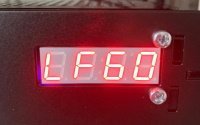
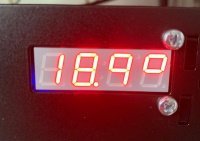
Hallo, für eine Raumüberwachung wollte ich gerne die aktuellen Messwerte zur Temperatur und Luftfeuchtigkeit im 4x7-Display anzeigen. Die Doku liefert zwar ein Beispiel für die Temperatur, dies ist jedoch nicht auf die V2-Versionen der Bricklets ausgelegt. Eine einfache Anpassung der API-Bindings reicht leider nicht aus. Also habe ich mich an eine Anpassung der Scripte gemacht. Hier das Ergebnis, vielleicht verkürzt es ja jemandem die Umsetzungszeit. Ich bin kein großer PHP-Programmierer, Verbesserungsvorschläge sind daher gerne willkommen. Ich rufe das Script via Crontab zu jeder vollen Minute auf. Nach der Anzeige der Temperatur pausiert der Prozess für 30 Sekunden und gibt dann die Luftfeuchtigkeit aus. So wechselt die Anzeige in 30sek-Zyklen. Viel Spaß damit. Viele Grüße, Christian Info2Display.php