




Radko
Members
-
Benutzer seit
-
Letzter Besuch
-
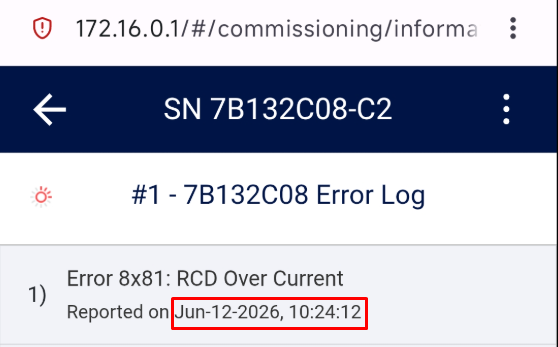
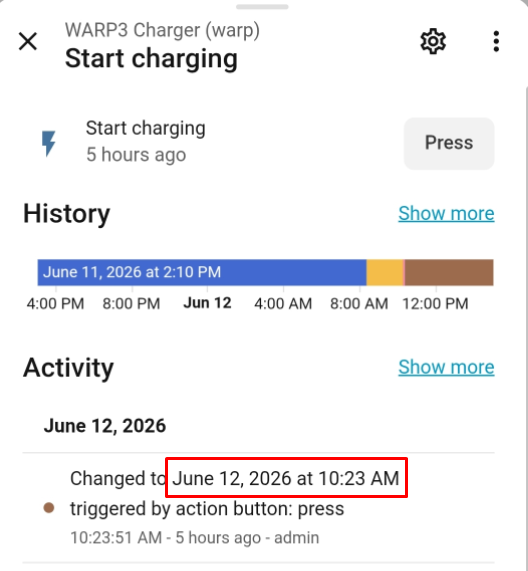
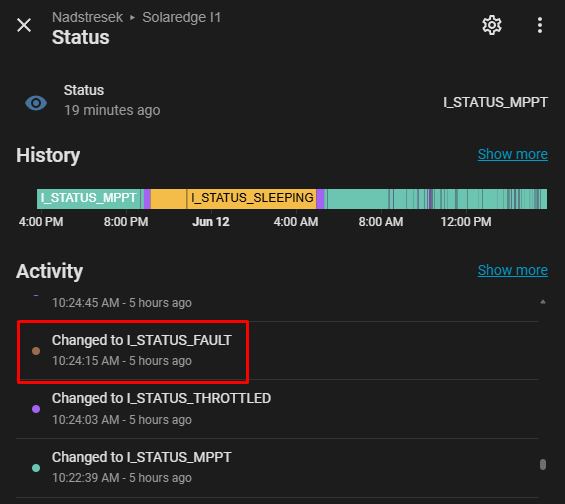
Hi, apologies for not stating - I have WARP3 11kW Pro charger bought a month ago. See TLDR below. Solar inverter (SolarEdge 16K) shows it faults due to RCD Over Current - I assumed due to DC injection for self-test because dedicated RCD 30mA AC for EVSE never tripped. See screenshots below of Home Assistant and SolarEdge status.. The fault occurs each time car is plugged in and charge starts. If charging is restarted without unplugging, the fault doesn't occur. This didn't happen before with Aliexpress KHONS charger which also had RCD DC protection built in so I'm puzzled what else could be causing this. I could borrow a scope and take measurements when 'fault' occurs. I've tried toggling "EV Wakeup" option on WARP3 Pressing "Test DC fault protector" button on WARP3 while charging - but it doesn't fault the charge session. TLDR I've now tried reseating Lighting surge protection devices (from the solar junction box) that can bridge phases and neutral with ground and I can no longer reproduce the RCD fault at either 6 or 16A current set on the WARP3. Seems the issue is resolved. Thank you anyways.
-
Radko ist der Community beigetreten
-
DC leak injection testing at start of the charge causes SolarEdge inverter to produce a fault and needs time to start producing again. I have automated charging of the car when there is excess solar production. How do I disable DC injection test that is done each time charging starts? Wouldnt it make sense to test DC leak on each startup instead of each charge start? Thanks.