



Skip to content
View in the app

A better way to browse. Learn more.

Tinkerunity

A full-screen app on your home screen with push notifications, badges and more.

To install this app on iOS and iPadOS
  1. Tap the Share icon in Safari
  2. Scroll the menu and tap Add to Home Screen.
  3. Tap Add in the top-right corner.
To install this app on Android
  1. Tap the 3-dot menu (⋮) in the top-right corner of the browser.
  2. Tap Add to Home screen or Install app.
  3. Confirm by tapping Install.

StephanK

Members
  • Benutzer seit

  • Letzter Besuch

  1. aktuell ist der Packertloss wieder etwas geringer und ich konnte ein debug Log runterladen warp4-87q3-Debug-Report-2026-08-25T21-43-54-601.txt
  2. StephanK folgt jetzt dem Inhalt: Netzwerkprobleme Warp4
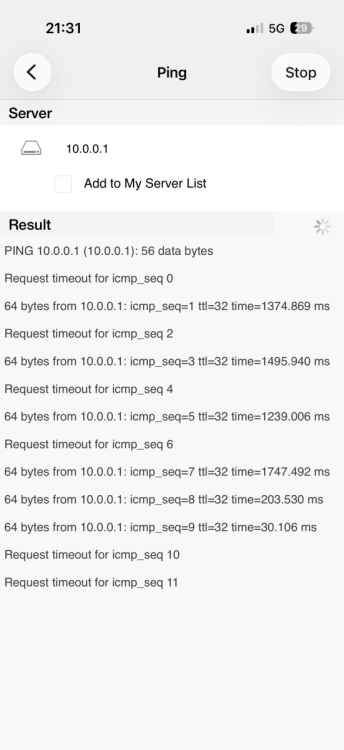
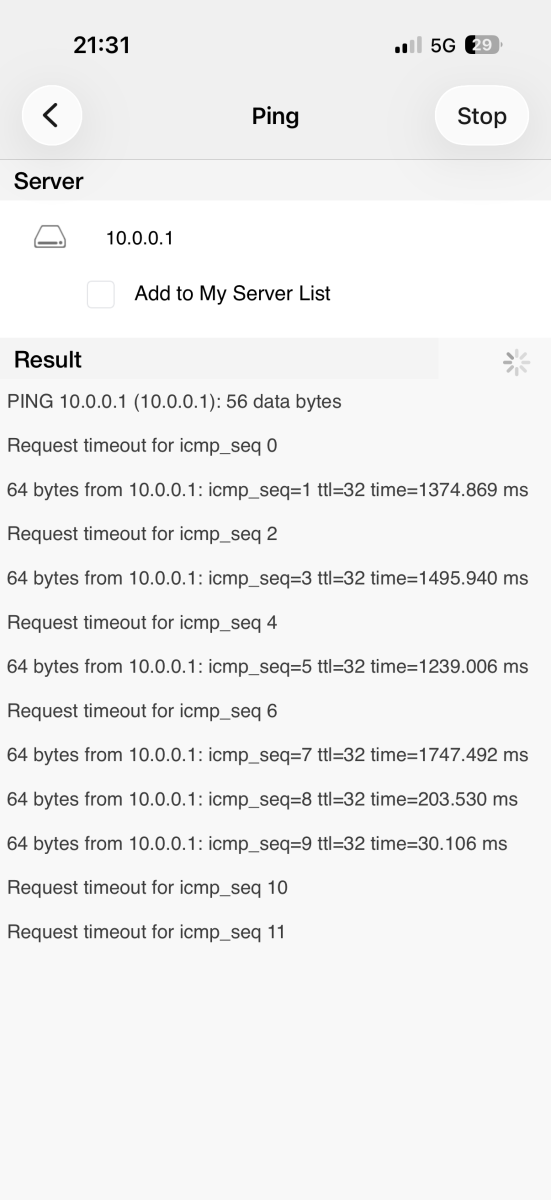
  3. Hallo, seit scheinbar heute habe ich ein Problem über WLAN auf die Warp4 zuzugreifen.. selbst mit dem Handy direkt vor der Wallbox im Accesspoint der Warp4 habe ich Pingzeiten von 1,5sec oder mehr und massiven Packetloss, ebenfalls im lokalen Wlan hier vor Ort.. bisher hatte das alles einwandfrei funktioniert.. Leider kann ich deshalb auch kein Debug-Log herunterladen, weil sich das Webinterface nicht mehr öffnen lässt Ich habe auch schon versucht die Wallbox über die Sicherung neu zu starten, hat aber auch nicht geholfen.. lg Stephan
Account

Navigation

Suche

Suche

Configure browser push notifications

Chrome (Android)
  1. Tap the lock icon next to the address bar.
  2. Tap Permissions → Notifications.
  3. Adjust your preference.
Chrome (Desktop)
  1. Click the padlock icon in the address bar.
  2. Select Site settings.
  3. Find Notifications and adjust your preference.