betacarve
Members
-
Benutzer seit
-
Letzter Besuch
-
Verstehe ich. Danke für Deine schnelle Hilfe! Muss ich in die ganze Sache erst noch etwas reinfuchsen. Jetzt kann ich erstmal wieder laden; auch wenn die aktuellen Preisse da wenig Lust drauf machen. Aber immer noch günstiger als Benzin 😄
-
Zefix; es war EVCC 🫣 Ich kann mich nur nicht erinnern, dass ich da seit dem letzen Ladevorgang irgendwas ein-/verstellt hab 🤔
-
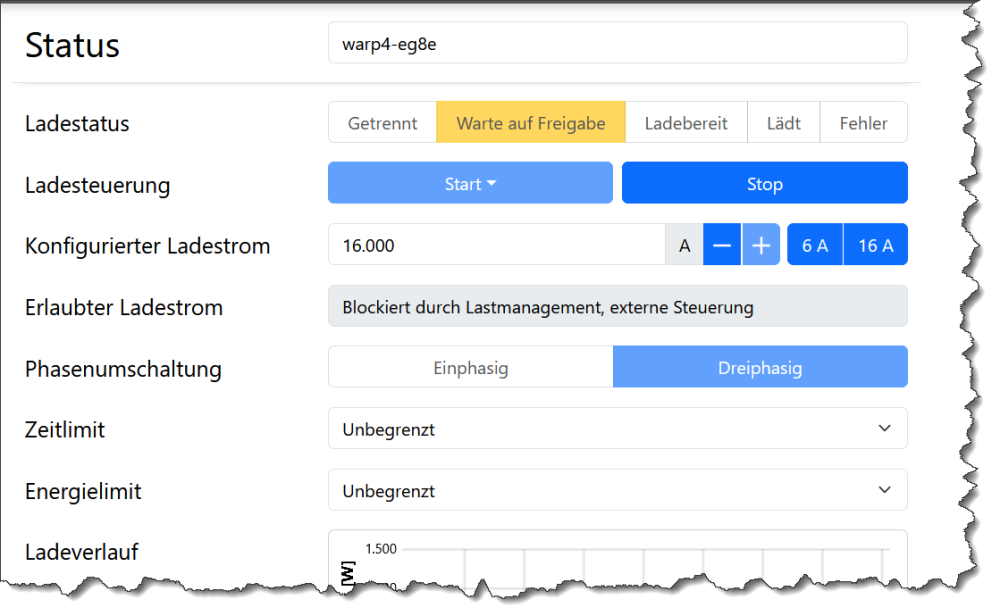
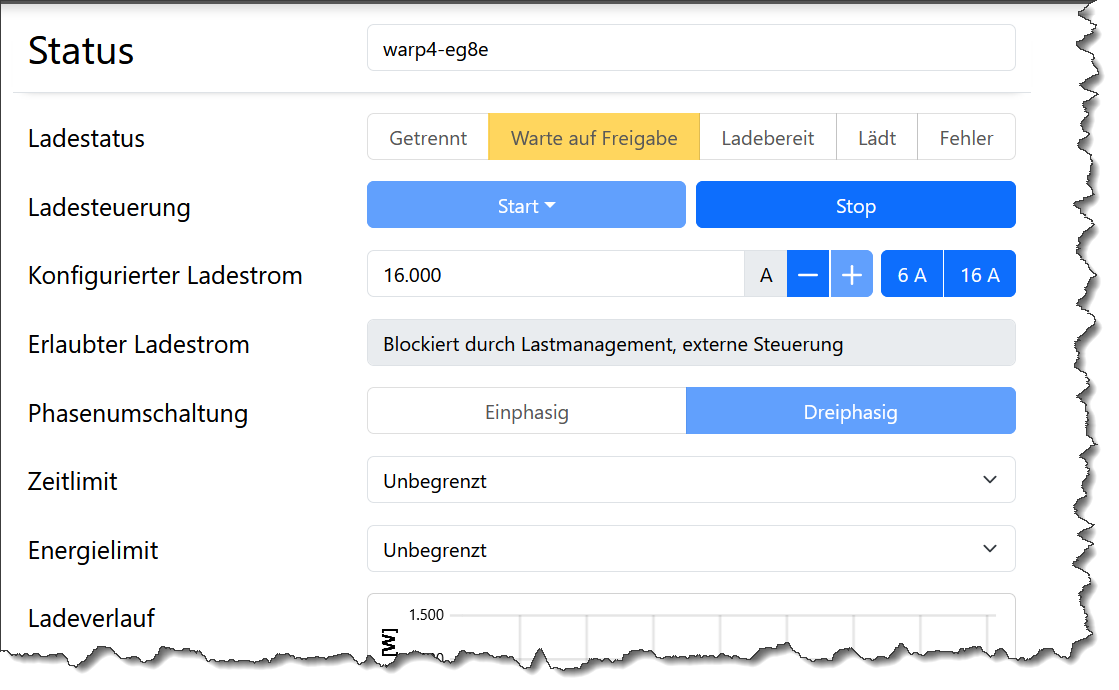
Hallo liebe WARP-Gemeinde, vor zwei Wochen habe ich meine neue WARP installiert und soweit auch eingerichtet, dass ich mein Auto laden kann bzw. konnte. Ich habe keine Ahung ob ich was verstellt hab, aber aktuell weigert sie sich strikt mein Auto zu laden, egal welchen Modus ichj einstelle. Auch reines Netzladen (Schnell) funktionierzt nicht. In der App steht: Freigegeben habe ich den Ladevorgang per App über eine der eingespeicherten NFC-Karten. Bis letzt Woche hat sowohl das Überschuss- als auch Netzladen einwandfrei funktioniert. Keine Ahung was ich da ggf. versehentölich verstellt hab ☹️ Hat jemand eine zündende Idee?