Jump to content
View in the app

A better way to browse. Learn more.

Tinkerunity

A full-screen app on your home screen with push notifications, badges and more.

To install this app on iOS and iPadOS
  1. Tap the Share icon in Safari
  2. Scroll the menu and tap Add to Home Screen.
  3. Tap Add in the top-right corner.
To install this app on Android
  1. Tap the 3-dot menu (⋮) in the top-right corner of the browser.
  2. Tap Add to Home screen or Install app.
  3. Confirm by tapping Install.

TobiSt

Members
  • Benutzer seit

  • Letzter Besuch

Alle erstellten Inhalte von TobiSt

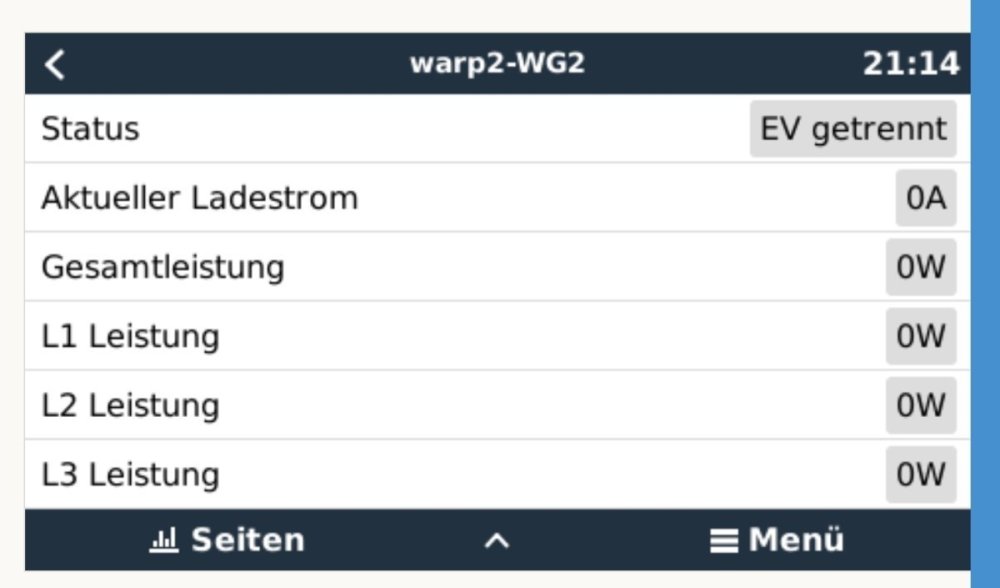
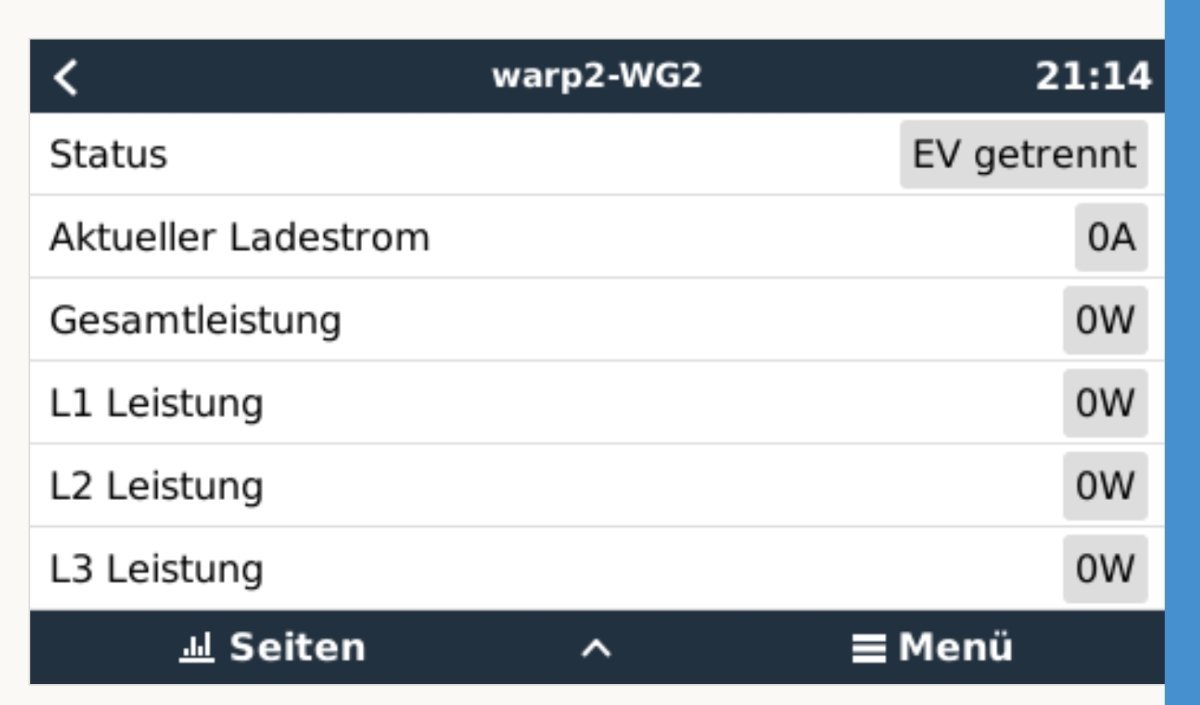
  1. Sieht gut aus! Werte alle bei Null. Werde diese Woche noch einen Ladevorgang testen und dann berichten. Besten Dank nochmal!
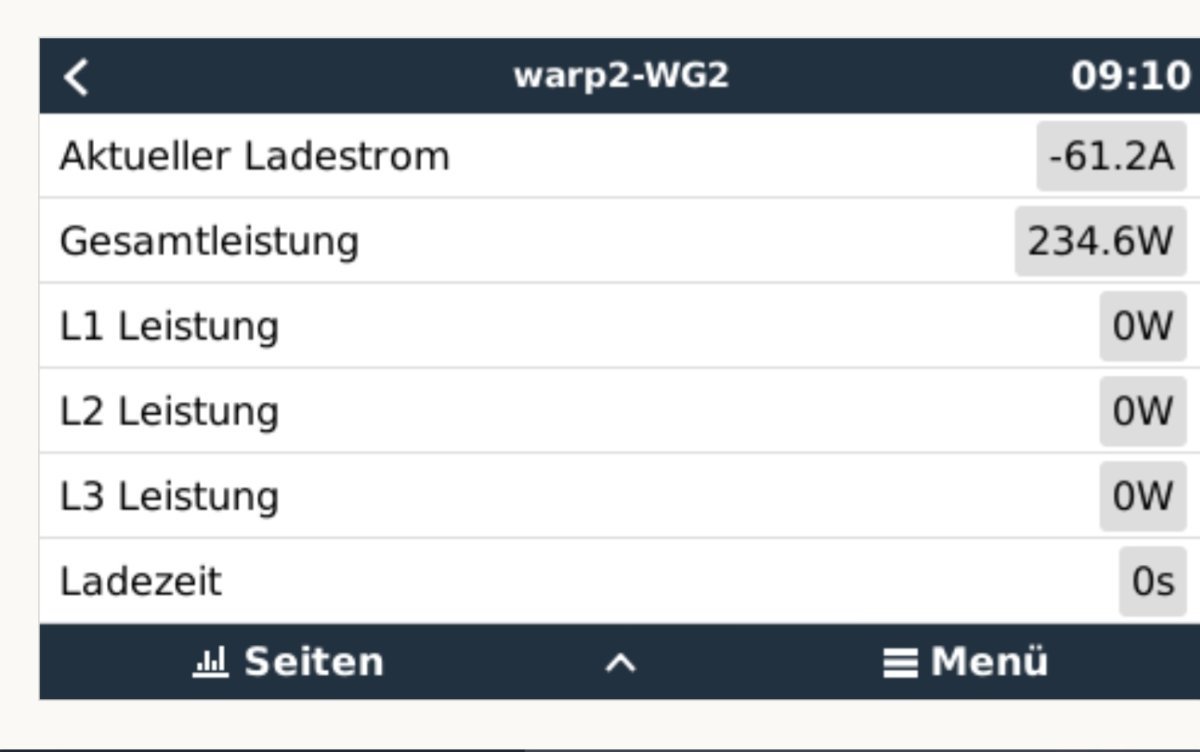
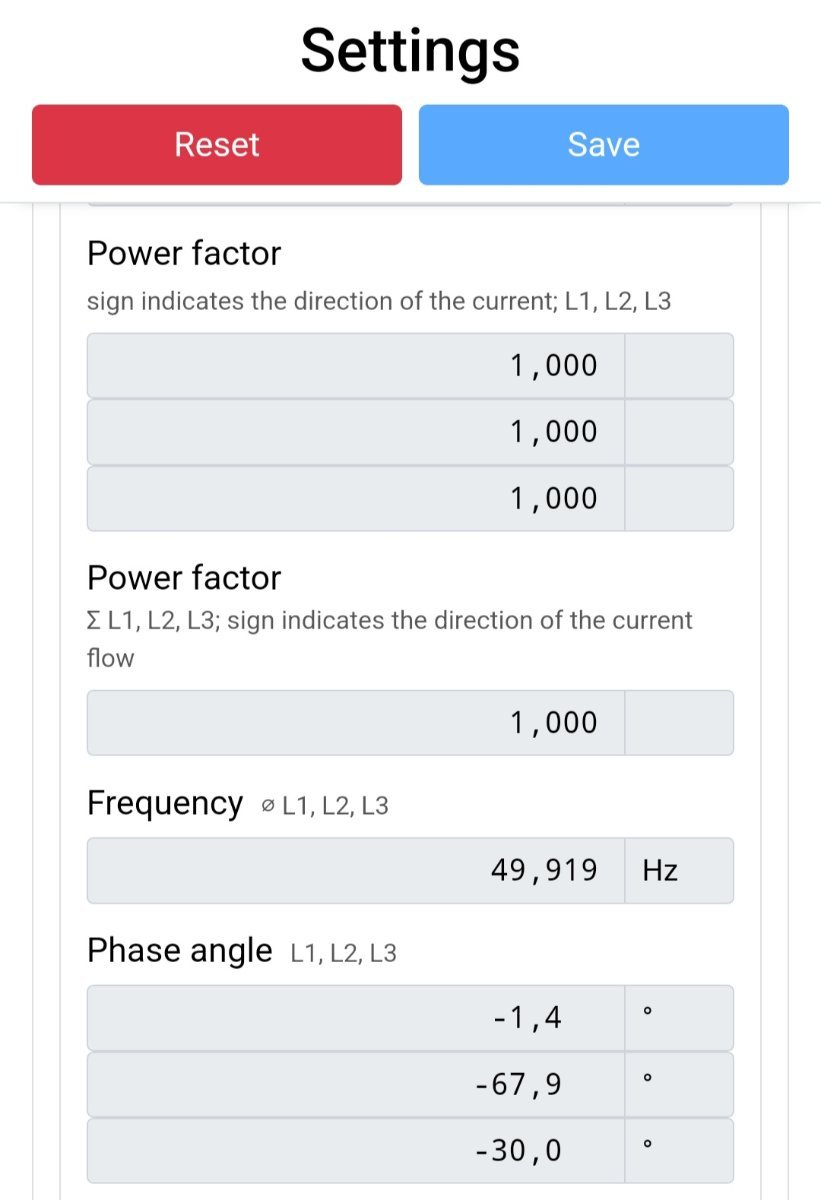
  2. Vielen Dank für die schnelle Antwort! Als Zähler "0" ist das interne Smartmeter eingerichtet. Mir ist aufgefallen, dass der angezeigte Ladestrom im VRM einem Phasenwinkel (-67,9) entspricht und die Gesamtleistung ähnelt auch einer Phasenspannung (L-N).
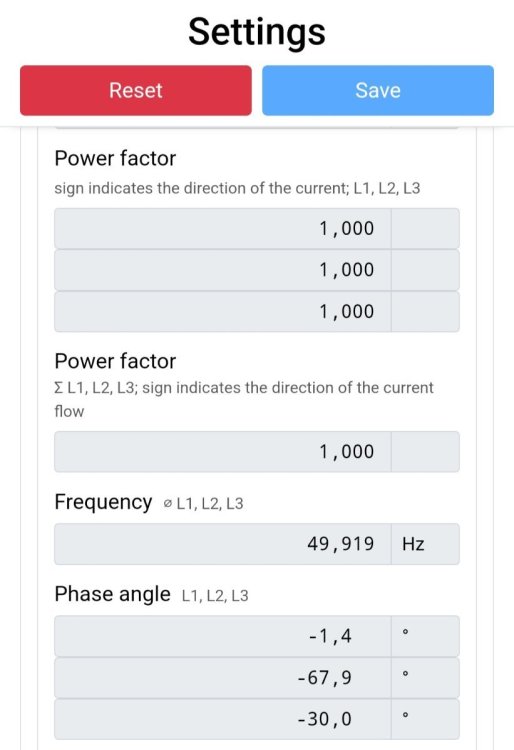
  3. ...und hier noch ein Screenshot aus der Remote Console
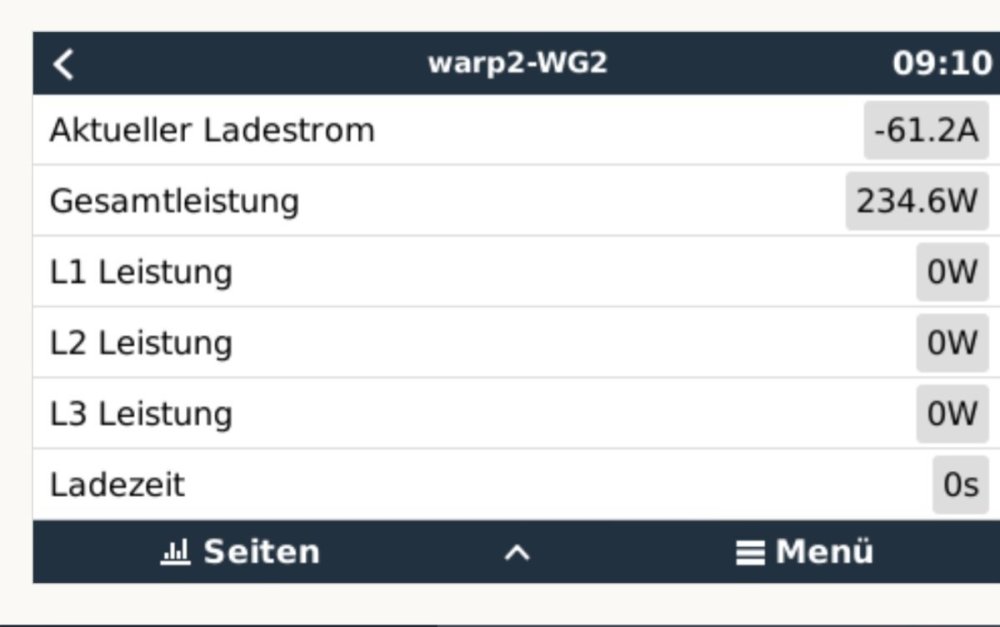
  4. Hallo zusammen, Ich habe meine Warp 2 laut Anleitung ins VRM Portal gebracht. Sie ist sichtbar, zeigt aber ohne Anschluss eines Fahrzeuges einen negativen Ladestrom (um die -65 A) und eine Gesamtleistung (um die 250 W) an obwohl die Leistungen der Phasen 0W sind.
Configure browser push notifications

Chrome (Android)
  1. Tap the lock icon next to the address bar.
  2. Tap Permissions → Notifications.
  3. Adjust your preference.
Chrome (Desktop)
  1. Click the padlock icon in the address bar.
  2. Select Site settings.
  3. Find Notifications and adjust your preference.