StS
Members
-
Benutzer seit
-
Letzter Besuch
Alle erstellten Inhalte von StS
-
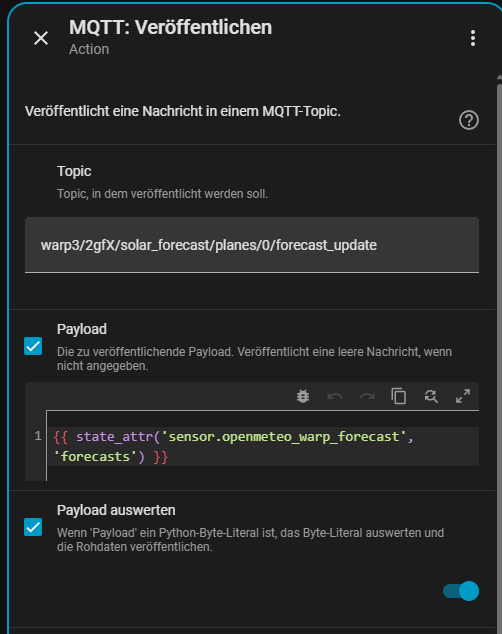
Hi @bsc76 , in meinem Fall hole ich mir über die OpenMeteo-Integration (Link) in HomeAssistant die zusammengefassten Vorhersage-Daten für mein komplettes, verwinkeltes Dach (insgesamt sieben verschiedene Flächen) für die nächsten sieben Tage. Die Integration stellt diese Informationen in verschiedenen Entitäten bereit, unter anderem als sensor.<bezeichner-des-dienstes>_energy_production_today sensor.<bezeichner-des-dienstes>_energy_production_tomorrow sensor.<bezeichner-des-dienstes>_energy_production_d2 sensor.<bezeichner-des-dienstes>_energy_production_d3 [...]Innerhalb dieser Entitäten gibt es mehrere State-Attribute mit a) viertelstündlichen Leistungsvorhersagen (watts) und b) stündlichen Energie-Prognosen (wh_periods): watts: "2026-05-15T00:00:00+02:00": 0 "2026-05-15T00:15:00+02:00": 0 "2026-05-15T00:30:00+02:00": 0 [...] wh_periods: "2026-05-15T00:00:00+02:00": 0 "2026-05-15T01:00:00+02:00": 0 "2026-05-15T02:00:00+02:00": 0 "2026-05-15T03:00:00+02:00": 0 "2026-05-15T04:00:00+02:00": 0 "2026-05-15T05:00:00+02:00": 127.75 "2026-05-15T06:00:00+02:00": 654.75 [...]Letztere nutze ich in einem Template-Sensor, um sie in das Format der Warp zu transformieren: # NOTE: This file is included via !include ./templates/ in configuration.yaml, hence # we keep indentation one level down for proper format compatibility - sensor: - name: "OpenMeteo WARP Forecast" unique_id: custom__openmeteo_warp_forecast state: "OK" # Placeholder state, since the data is in attributes attributes: forecasts: > {% set sensors = [ 'sensor.pv_dach_gesamt_energy_production_today', 'sensor.pv_dach_gesamt_energy_production_tomorrow' ] %} {% set combined = namespace(value=[]) %} {% set start_of_today_in_minutes = (as_timestamp(today_at("00:01")) / 60) | round%} {% set resolution = 1 %} {## 0 = 15 minutes, 1 = 60 minutes ##} {% for sensor in sensors %} {% set forecasts = state_attr(sensor, 'wh_period') %} {% if forecasts is iterable and forecasts | length > 0 %} {% for wh_period_start, wh_period_value in forecasts.items() %} {% set combined.value = combined.value + [wh_period_value | round] %} {% endfor %} {% endif %} {% endfor %} {% set result = {'first_date': start_of_today_in_minutes, 'resolution': resolution, 'forecast': combined.value} %} {{ result | tojson }}Und die Daten dieses Ergebnis-Sensors schicke ich dann über eine Automatisierung stündlich an den dokumentierten MQTT-Endpunkt der Warp: That's it :-). (Ich mache das gleiche (in anderem Zielformat) im Übrigen auch für EVCC, das bei mir die eigentliche Lade-Steuerung und Optimierung vornimmt. Die Übertragung an die Warp ist für mich aktuell eher technische Spielerei.)
-
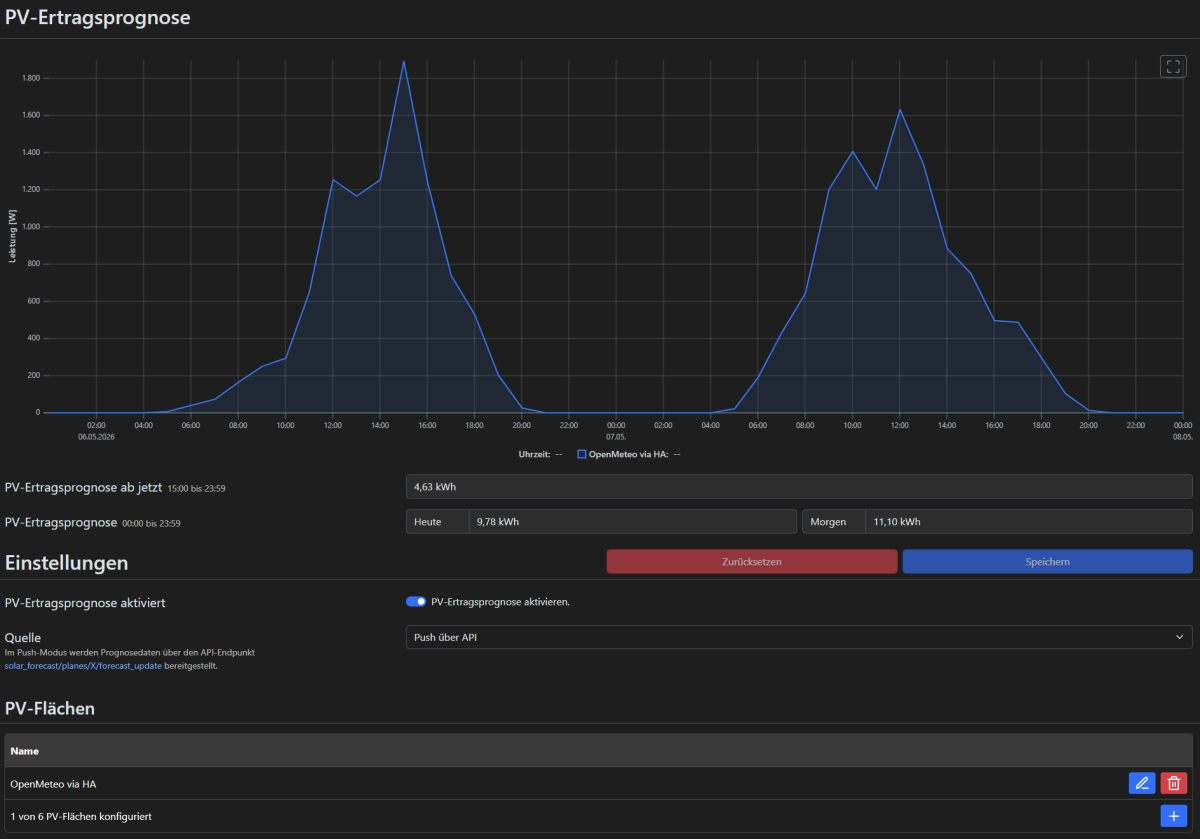
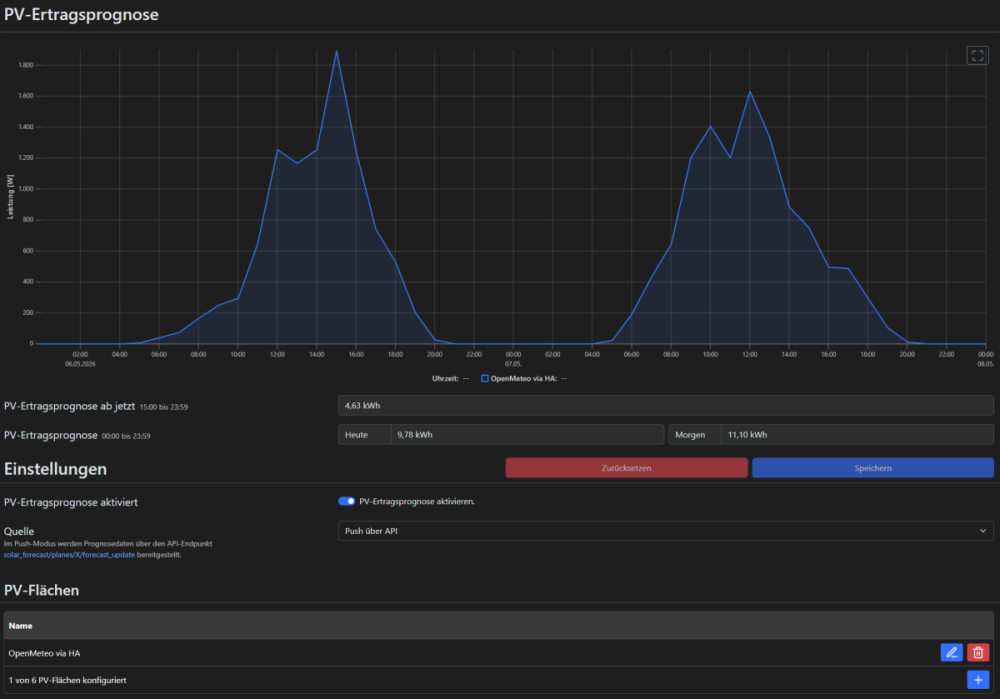
Danke für die Rückmeldung, das erklärt es. Sende ich die Daten in 60-Minuten-Auflösung von HA via MQTT an die WARP, so funktioniert es wie gewünscht und erwartet ☀️. Für heute und morgen (mit leider recht regnerischem Ausblick):
-
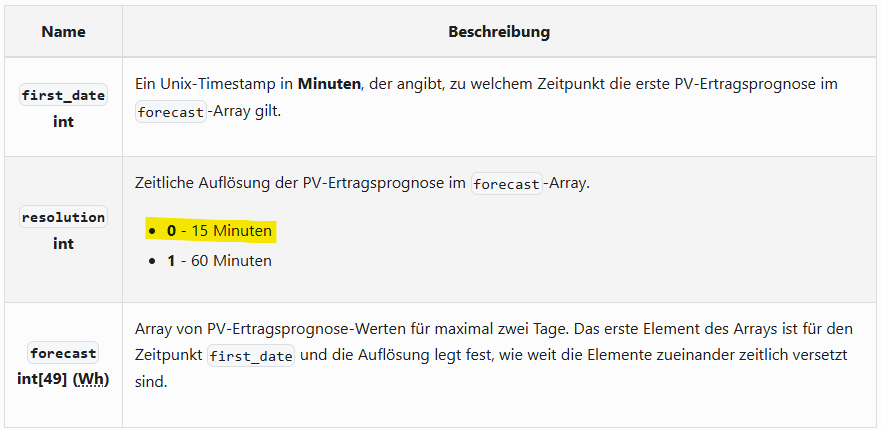
Hallo zusammen, hallo @borg , mit der Firmware 2.10.0 scheint das Feature "Push API" bereits implementiert worden zu sein, zumindest sehe ich es in der Oberfläche und kann Daten auch grundsätzlich via MQTT an das entsprechende Topic `solar_forecast/planes/0/forecast_update` schicken. In meinem Fall verwende ich einen OpenMeteo-Forecast aus Home Assistant, der in 15-Minuten-Schritte aufgeteilt ist - dazu erhalte ich im Warp-System-Log dann jedoch: [...] 2026-05-05 16:50:48,197 | mqtt | On solar_forecast/planes/0/forecast_update: Only 60 minute resolution is supportedDas entsprechende "Fehler"-Handling finde ich auch im Code und wurde mit folgendem Commit reingebracht: https://github.com/Tinkerforge/esp32-firmware/commit/93c40e2b2d95e8ec56e4b38a9cc7b2330da16190 Was ich dabei allerdings nicht verstehe: In der Dokumentation zum Endpunkt (hier) ist die Option resolution: 0 explizit aufgeführt: Was ist der Grund für die Beschränkung auf 60 Minuten? Übersehe ich etwas?
-
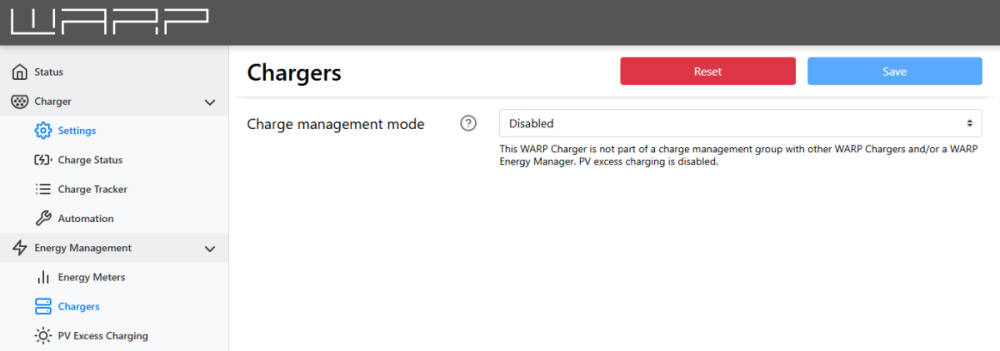
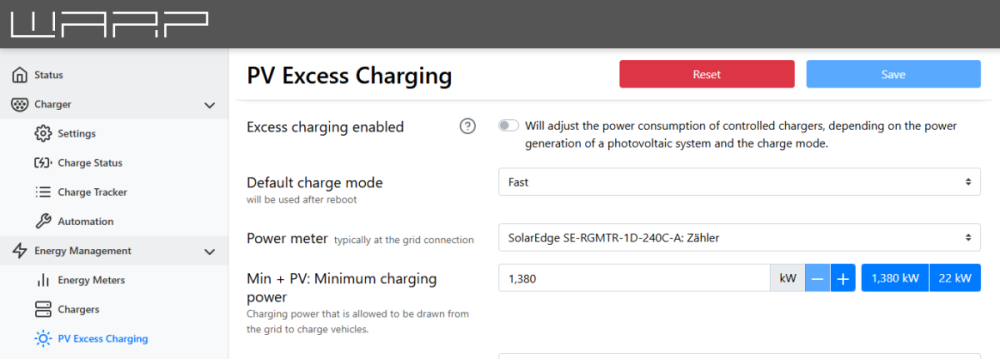
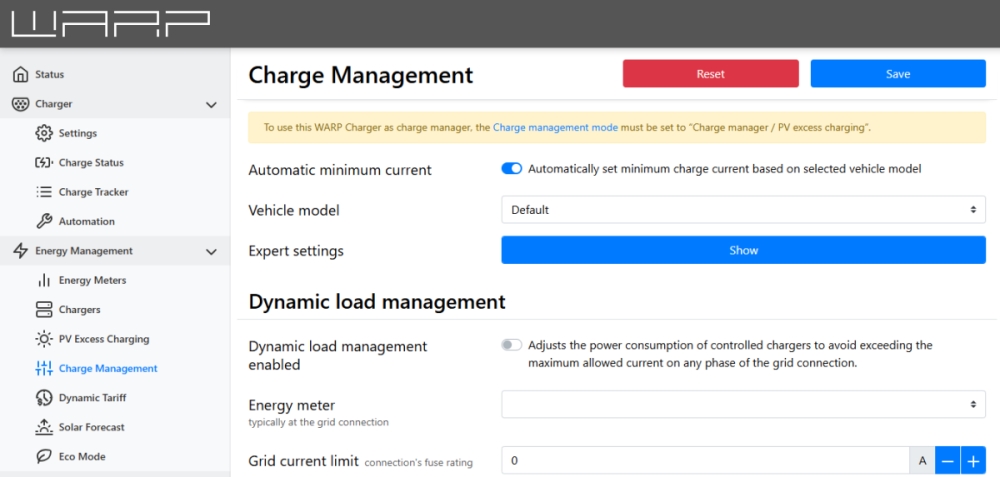
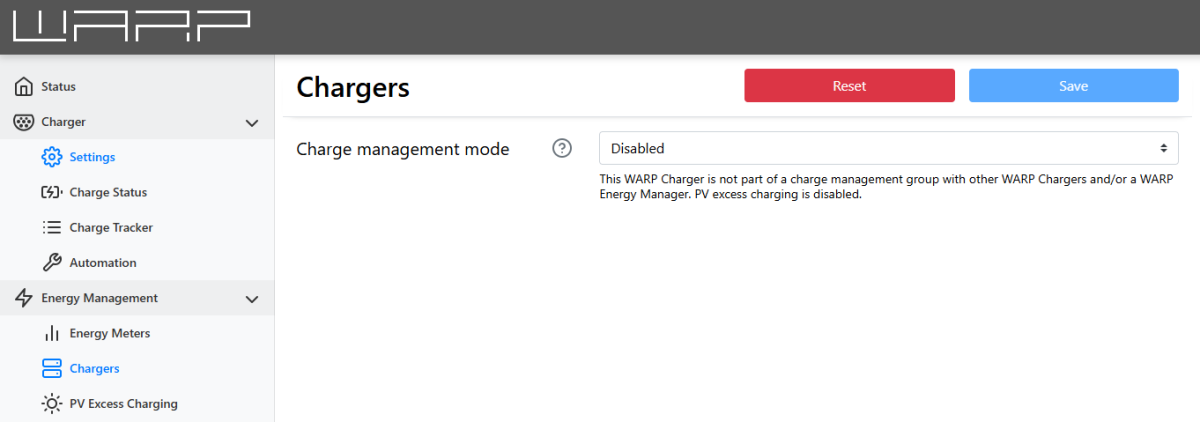
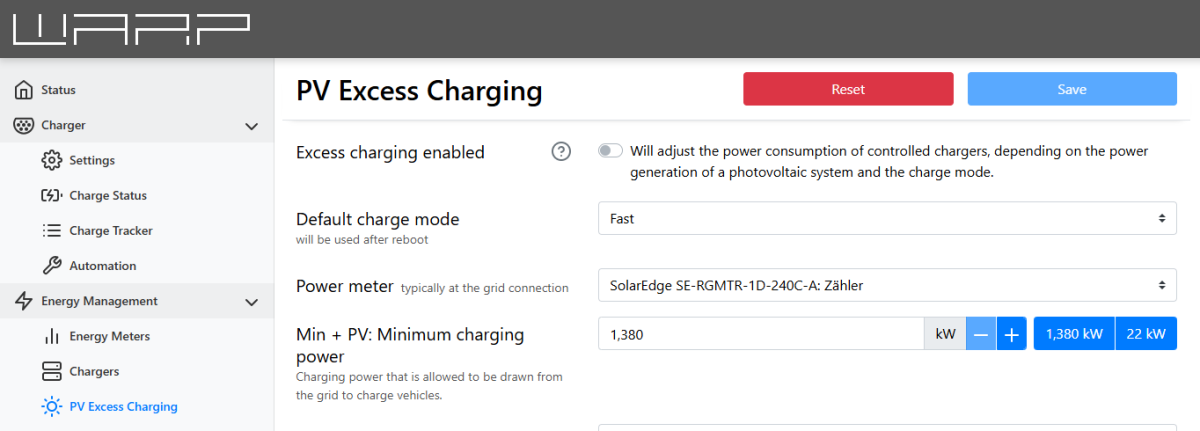
Hallo @Enyaq-DUS , die "Fremdsteuerung" im Menüpunkt "Wallboxen" muss auf "Deaktiviert" stehen (vgl. mein erster Screenshot). Die von Dir gewählte Option würde bedeuten, dass eben die Warp selbst das Lastmanagement (für sich und für verbundene andere Wallboxen) übernimmt. Die zweite Maske ("Lastmanagement") sieht meines Erachtens gut aus. VG Stefan
-
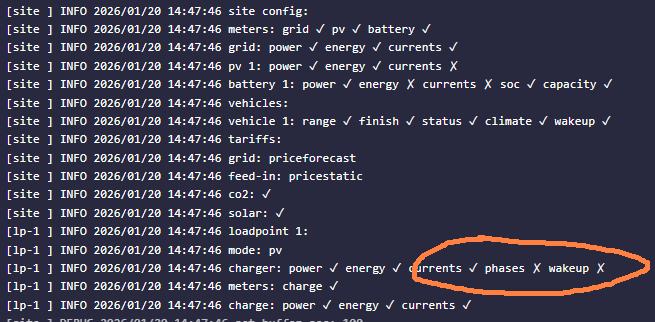
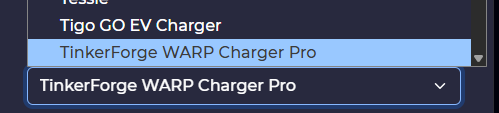
Ich konnte die Ursache finden, das Problem liegt weder auf Warp3- noch auf EVCC-Seite, sondern an der Person vor dem Bildschirm - ich hatte offensichtlich das falsche Wallbox-Template in EVCC ausgewählt ("TinkerForge WARP Charger Pro" statt "TinkerForge WARP3 Charger Pro"), einfach, weil ich nicht weit genug heruntergescrollt habe. Deswegen wurde die Option nicht angezeigt. Nach Neukonfiguration mit korrektem Template ist auch die automatische Phasenwechsel in EVCC verfügbar. Wakeup hingegen bleibt mit einem x versehen, auch nach Wechsel der Option in der Warp-Konfiguration (+ Neustart beider Komponenten) und erneuter Aktivierung der Option (+ Neustart beider Komponenten). Ob das ein "Problem" ist, kann ich nicht sagen - ich würde vermuten, dass die Warp den Neustart unabhängig von EVCC macht, wenn nach Stromfreigabe kein Strom vom Auto gezogen wird?! [lp-1 ] INFO 2026/01/25 14:03:30 loadpoint 1: [lp-1 ] INFO 2026/01/25 14:03:30 mode: pv [lp-1 ] INFO 2026/01/25 14:03:30 charger: power ✓ energy ✓ currents ✓ phases ✓ wakeup ✗ [lp-1 ] INFO 2026/01/25 14:03:30 meters: charge ✓ [lp-1 ] INFO 2026/01/25 14:03:30 charge: power ✓ energy ✓ currents ✓ Nachtrag: => Ja, das hatte ich natürlich gemacht. Zumindest die Log-Zeile mit den Häkchen kommt tatsächlich immer nur direkt nach Neustart von EVCC.
-
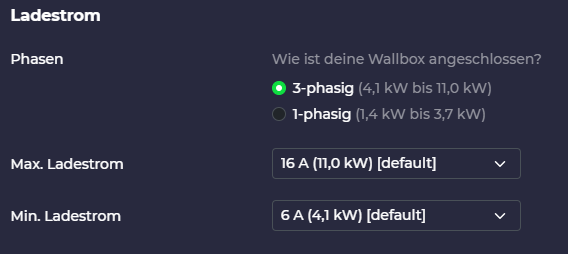
Hi, ich weiß, dass dieser Thread hier schon nicht mehr ganz frisch ist, aber ich habe exakt das gleiche Problem und wollte nicht unnötig einen neuen, gleichnamigen Thread aufmachen. Leider hapert es bei mir noch an der Lösung - die Hinweise von @rtrbt bezüglich des Deaktivierens der Lastmanagement-Option habe ich bereits vorgenommen (und auch an anderen Stellen der UI alles durchforstet, was in diese Richtung gehen könnte), aber weiterhin bekomme ich in EVCC die Option für die Automatische Phasenumschaltung nicht angezeigt. Ich würde mich sehr freuen, wenn mir jemand bei meiner Konfiguration weiterhelfen könnte. Mein Setup: Meine Konfiguration: warp3-2gfX-Debug-Report-2026-01-20T15-24-09-053.txt Und das Log sowie die UI von EVCC phases: x):