Keuler272
Members
-
Benutzer seit
-
Letzter Besuch
-
-
Hallo zusammen, habe meine Warp4 Pro mittlerweile fast einen Monat in Betrieb und es läuft alles zufriedenstellend. Jetzt beginnt dann die Zeit, in der der PV Strom nicht mehr ausreichen wird, um das Auto zu laden. Ich hätte aber gerne eine Statisktik, die zeigt, wie viel Energie ich aus der PV und wie viel aus dem Netz über das Jahr in das Auto geladen habe. Lässt sich das mit der WARP4 Oberfläche realisieren? Mein Setup: Drei PV Anlagen mit jeweils eigenem Wechselrichter. Habe in Home Assistant einen Sensor, der die Gesamtproduktion dokumentiert. Tasmota Lesekopf am Haushaltszähler (negativ bei Einspeisung, positiv bei Netzbezug) -> hier bekommt auch die WARP die Werte für das Überschussladen Viele Grüße
-
-
-
-
-
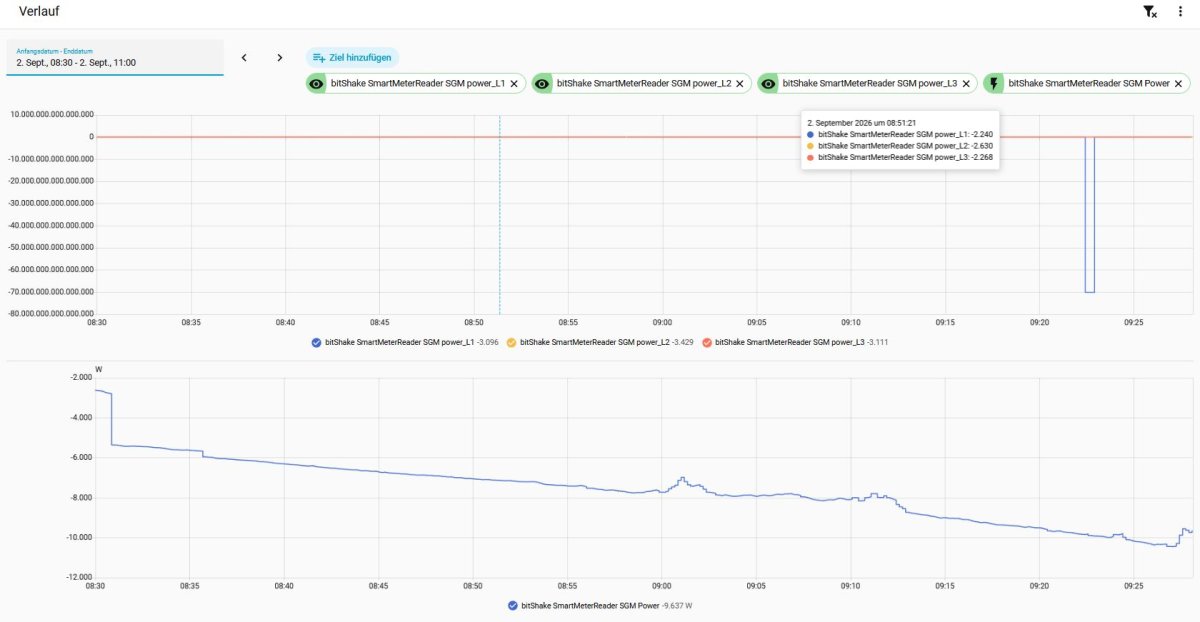
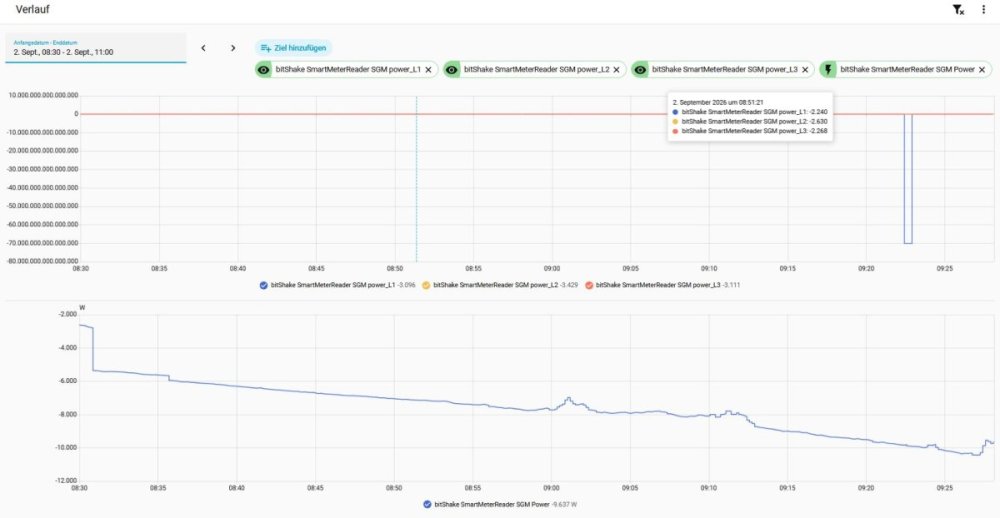
Hallo zusammen, ich habe das Ganze nun seit gestern beobachtet. Seit der Anpassung des Tasmota Skripts kommt es bei der Aufzeichnung der einzelnen Phasen manchmal zu groben Ausreißern in beide Richtungen. Diese sind in der Gesamtleistung (unterer Graph) nicht sichtbar. Allerdings füttere ich meine PV Speicher beispielsweise mit Daten zu den einzelnen Phasen und diese bekommen dadurch Probleme. Hat jemand auch so ein Verhalten feststellen können? Hier noch mein Skript -> ohne die >S WebQuery Zeilen gibt es keine Ausreißer. >D >B ->sensor53 r >S =>WebQuery http://192.168.178.125/meters/2/update POST [Content-Type:application/json] [%sml[3]%,%sml[10]%,%sml[11]%,%sml[12]%] >M 1 +1,5,s,0,9600,SGM,4 1,=soC,1024,0 1,77070100010800ff@1000,Verbrauch,kWh,ImportActive,3 1,77070100020800ff@1000,Einspeisung,kWh,ExportActive,3 1,77070100100700ff@1,akt. Leistung,W,Power,0 1,=h— 1,77070100240700ff@1,Leistung_L1,W,power_L1,0 1,77070100380700ff@1,Leistung_L2,W,power_L2,0 1,770701004c0700ff@1,Leistung_L3,W,power_L3,0 1,77070100200700ff@1,Voltage L1,V,Voltage,1 1,77070100340700ff@1,Voltage L2,V,Voltage_L2,1 1,77070100480700ff@1,Voltage L3,V,Voltage_L3,1 1,770701001f0700ff@1,Current L1,A,Current,2 1,77070100330700ff@1,Current L2,A,Current_L2,2 1,77070100470700ff@1,Current L3,A,Current_L3,2 1,77070100510701ff@1,Phaseangle L2-L1,deg,phase_angle_L2_L1,0 1,77070100510702ff@1,Phaseangle L3-L1,deg,phase_angle_L3_L1,0 1,77070100510704ff@1,Phaseangle I/U L1,deg,phase_angle_L1,1 1,7707010051070fff@1,Phaseangle I/U L2,deg,phase_angle_L2,1 1,7707010051071aff@1,Phaseangle I/U L3,deg,phase_angle_L3,1 1,770701000e0700ff@1,Frequency,Hz,Freq,1 1,77070100600100ff@#,Server-ID,,ID,0 #
-
-
Hallo zusammen, ich habe nun durch meinen Elektriker die Warp4 Pro anschließen lassen, was bisher ohne Probleme geklappt hat. In Home Assistant konnte ich die WARP auch bereits über MQTT auslesen. Hier sind ja zumindest ein paar Basisdaten abgreifbar. Was bisher nicht klappt, und ich muss zugeben, dass ich damit auch nicht sehr firm bin, ist die Übermittlung von Stromzählerdaten über Home Assistant an die WARP für das PV Überschussladen. Ich habe einen bitshake Lesekopf an meinem Stromzähler. Daten des Lesekopfs sind über die Tasmota Integration in Home Assistant abgreifbar. Wie und in welchem Format kann ich diese am besten an die WARP schicken? Kann hier jemand einem Neuling eine Schritt für Schritt Anleitung geben? Vielen Dank!
-
Keuler272 ist der Community beigetreten
-