joern
Members
-
Benutzer seit
-
Letzter Besuch
Alle erstellten Inhalte von joern
-
Danke fürs Testen. Ich bin erstmal beruhigt das ich hier keine Defekte am Auto oder Wallbox habe. Im Netz steht: "ISO 15118-2 beim AC-Laden (Wechselstrom) ermöglicht die digitale Hochfrequenzkommunikation über das Ladekabel mittels Power Line Communication (PLC), um Funktionen wie Plug & Charge und erweiterte Steuerungsdaten zu übertragen" Plug und Charge hat unser Ioniq5 habe ich aber nicht aktiviert. Habt ihr das evtl. am Start im Ioniq5? Ich werde mal ausprobieren ob das gleiche Verhalten auch beim Inster auftritt.
-
Ich bin gespannt. Bitte mal testen!
-
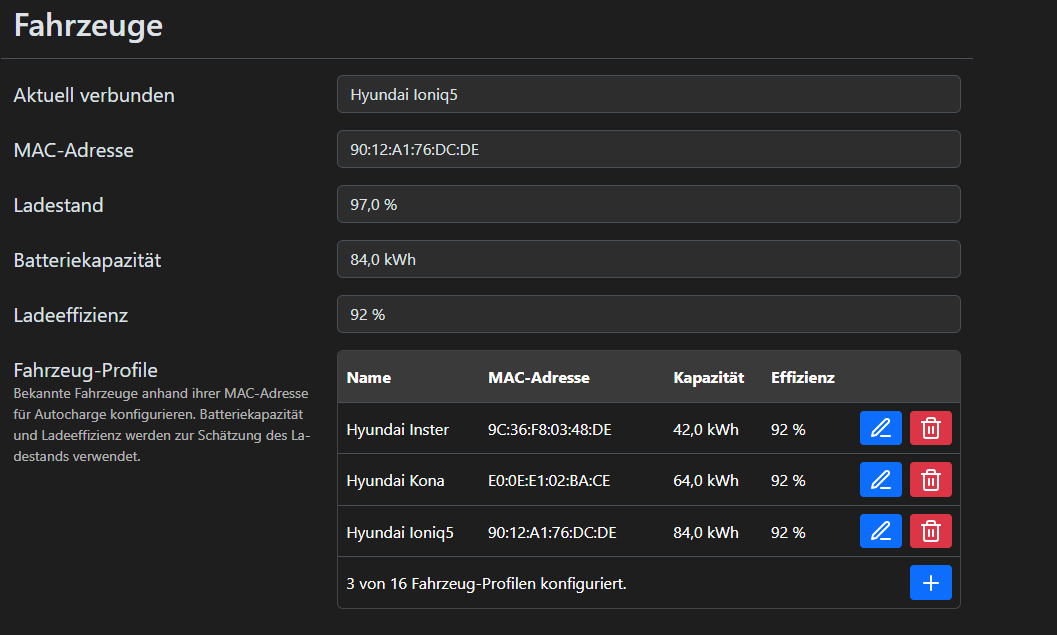
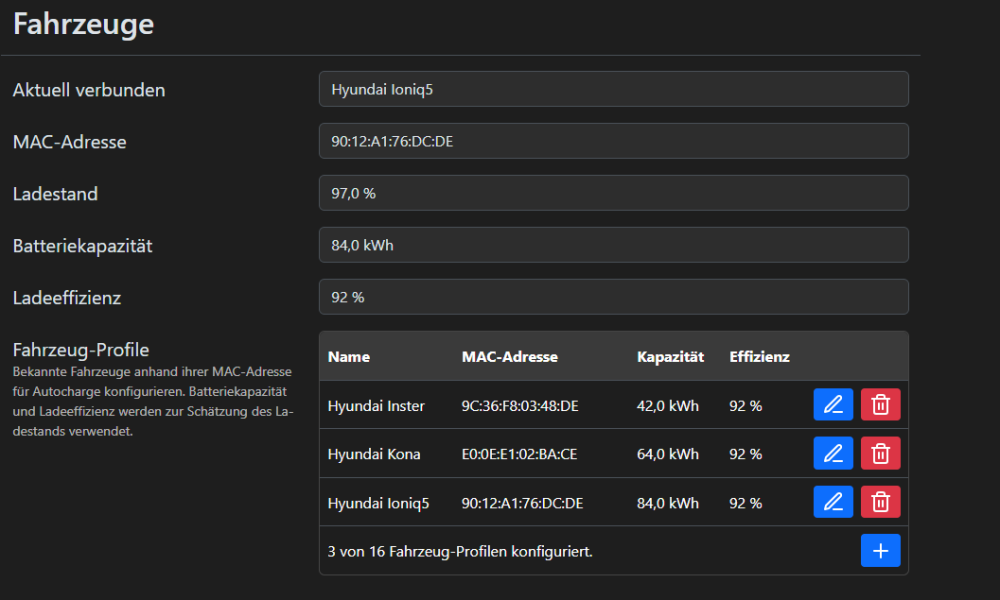
So ich habe einen Verdacht. Ihr gauckelt doch um den SoC auszulesen dem Auto kurz einen DC Lader vor, damit dieser die ISO15118 Daten sendet. Mein Ioniq war auf max Ladestand 80% eingestellt. Der aktuelle Soc ist aber 97%. Wenn man dann das Kabel ansteckt so "denkt" der Ioniq: OK DC laden gefordert (weil die Warp ja kurz so tut als würde DC laden gefordert), stellt dann aber fest der SoC ist 90% max DC soll 80% sein also muss nicht mehr geladen werden im DC also sendet er auch keine ISO Daten. Nachdem ich max DC auf 100% gestellt hatte und der SoC aktuell bei 97% liegt also < Max so ist DC max nicht erreicht und er sendet auch die ISO Daten. Also lange Rede gar kein Sinn: Ich vermute er sendet nur ISO Daten wenn die EInstellung max DC laden > als der tatsächliche SoC ist, ist es nicht so gibt es keine ISO Daten Könntest Du das mal mit Euren Ioniqs verifizieren?
-
Komisch ist es das es schonmal funktioniert hat. Liegt es vielleicht daran dass unser Ioniq5 brandneu ist und sich irgendwas am Verhalten geändert hat? Könnte ich selber irgendwas in der Warp oder Ioniq probieren/testen? Die ISO-Sachen waren für mich der Kaufgrund der Warp-4 wäre blöd wenn das mit dem neuen Ioniq nicht richtig funktioniert.
-
So nun bin ich eine Runde gefahren und habe den ioniq dann wieder angeschlossen. Lieder wieder ohne ISO15118. warp4-8hrc-Debug-Report-2026-07-28T12-41-45-389.txt
-
Ich fahre gleich mal eine Runde und schließe den Ioniq5 danach mal an. Mal schauen. Ich sag dann Bescheid. Frage: Kann man den ISO 15118 nicht über die Warp4 anfordern?
-
Das ist korrekt! Ich habe gestern mit 71% das Laden gestartet. Ich bin danach nicht gefahren und habe heute erneut angesteckt um den Rest zu laden. Wie ist denn der Zusammenhang. Muss das Auto zwischen den Ladevorgängen bewegt werden damit die Mac und Soc korrekt übermittelt wird?
-
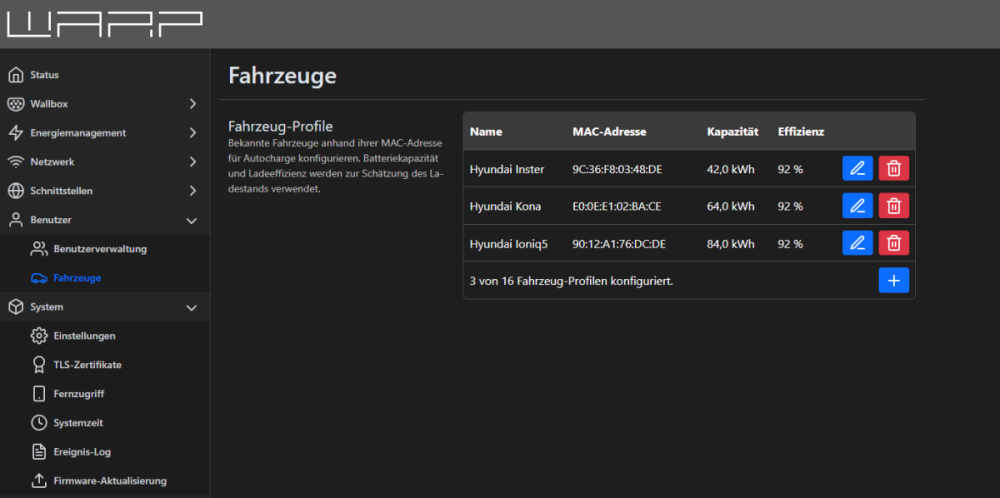
Hallo, 71% ist auch falsch. 95 % wäre richtig gewesen. Sieht auch so aus als würde er den konfigurierten Ioniq5 gar nicht erkennen. Im mqtt wurde auch nichts hinterlegt: Keine Mac Adresse usw.

-
Hallo, vor einigen Tagen haben wir einen neuen Ioniq5 bekommen. Bei den ersten Ladevorgängen wurde der SoC auch angezeigt. Nun klappt das nicht mehr. Woran könnte es liegen? Danke warp4-8hrc-Debug-Report-2026-07-28T09-58-00-737.txt
-
Jetzt habe das Kabel erneut ab und nach einiger Zeit wieder angesteckt. Auf einmal klappt es wieder. Zum Vergleich habe ich auch hier das Log nochmal dabei. warp4-8hrc-Debug-Report-2026-07-27T10-35-12-951.txt
-
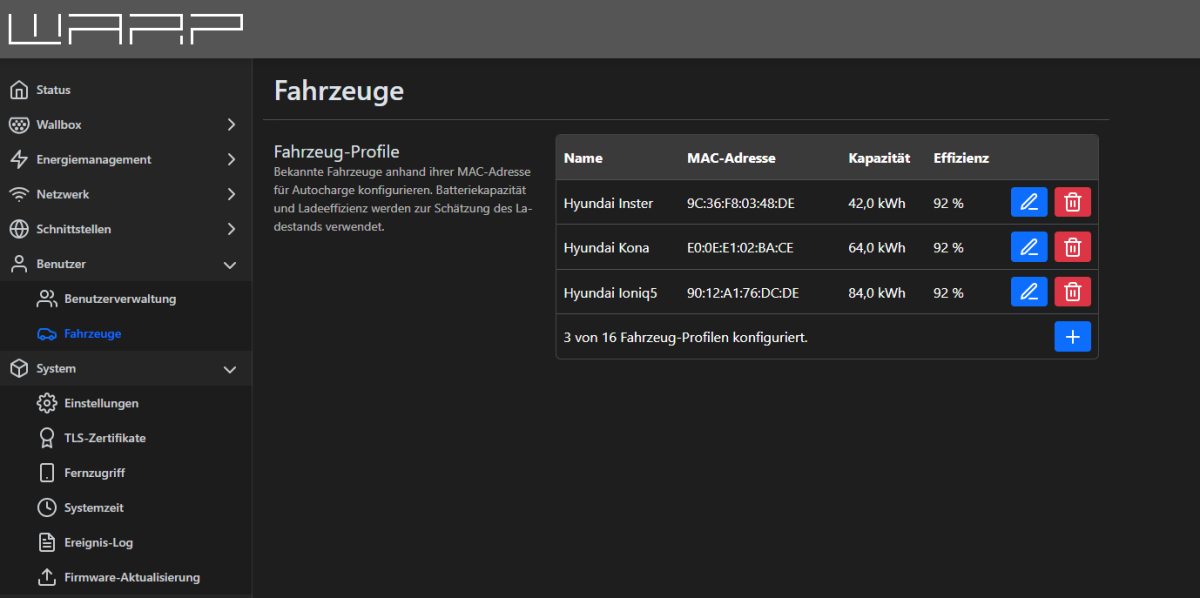
Hallo, wir haben unseren Kona verkauft und haben jetzt einen neuen Ioniq5. Die ersten Male wurde das Auslesen des SOCs auch ohne Probleme erledigt alles klappte wunderbar. Seit dem WE klappt es auf einmal nicht mehr mit dem Ioniq5. Obwohl unter Fahrzeuge konfiguriert wird der Ioniq nicht mehr erkannt. Am Inster klappt es. Am Auto, Warp4 usw hatte sich nichts geändert. Könnt ihr mal schauen in den Logs wo das Problem liegt? Vielen Dank warp4-8hrc-Debug-Report-2026-07-25T14-03-10-714.txt warp4-8hrc-Debug-Report-2026-07-27T07-08-26-963.txt warp4-8hrc-Debug-Report-2026-07-27T07-19-22-420.txt
-
Super, merkt ihr Euch diese Änderung vor für die nächste Firmware Version?
-
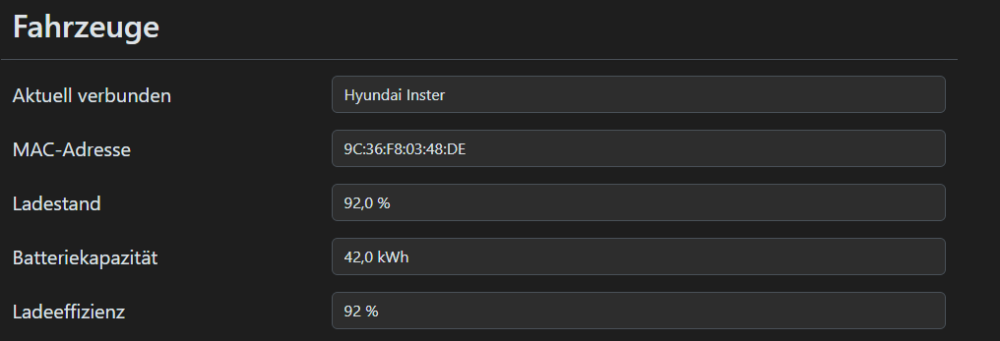
Richtig cool, vielen Dank! Der Inster wurde bewegt und dann angeschlossen. warp4-8hrc-Debug-Report-2026-07-06T15-18-31-677.txt
-
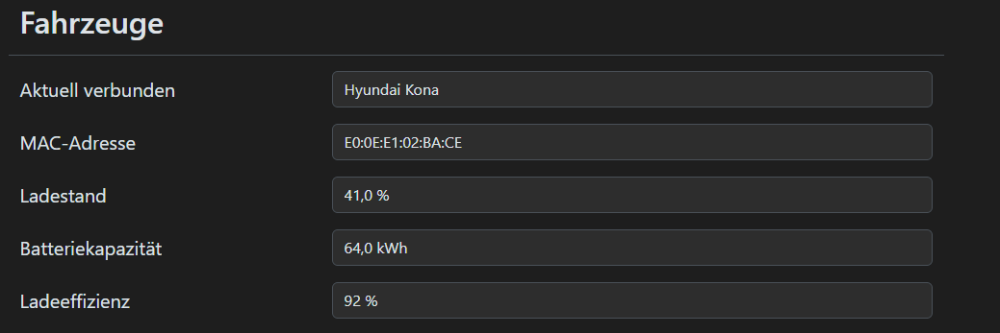
Nach Anstecken Kona wieder alles top.
-
Die neue Firmware ist drauf. Daraufhin den Inster mal angesteckt. Sieht nun aber so aus als würde er den Wagen gar nicht mehr erkennen. warp4-8hrc-Debug-Report-2026-07-06T12-55-44-263.txt
-
Ja sehr cool. Danke für die Analyse und den bevorstehenden Workaround.
-
Moin, anbei das heutige Ladelog mit dem Inster von heute. warp4-8hrc-Debug-Report-2026-07-05T15-44-57-795.txt
-
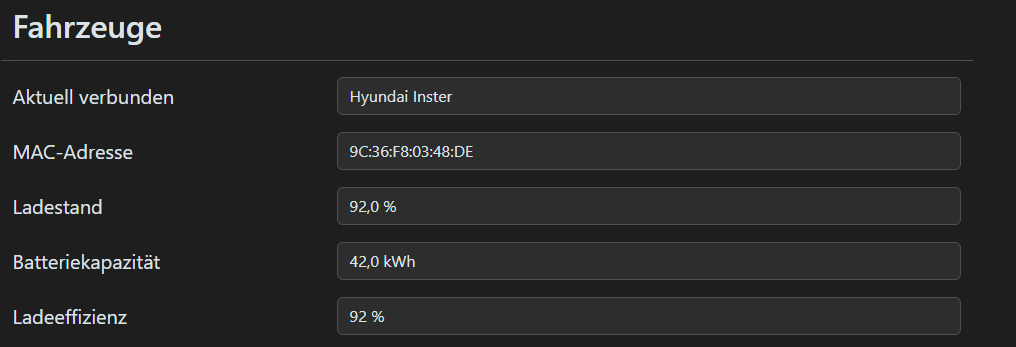
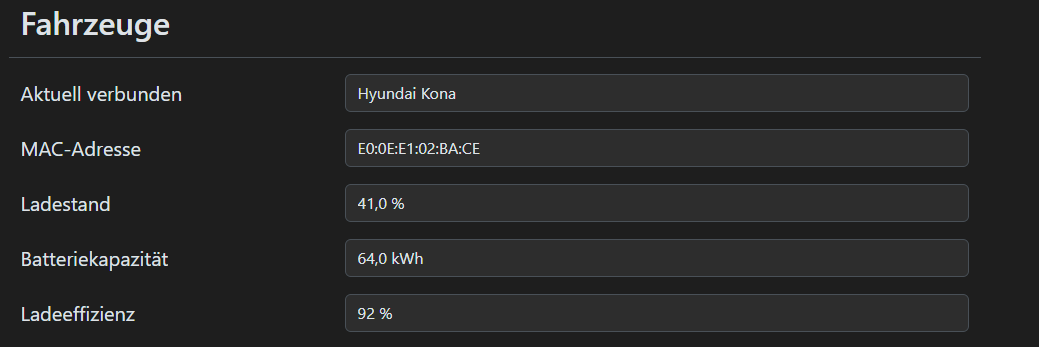
Hallo, die neue Wallbox Warp4 pro läuft hier nun und wird fleißig getestet. Bisher bin ich sehr zufrieden damit. Besonders das ISO15118 Feature mit auslesen des SoC des Autos gefällt mir sehr gut. Das klappt mit unserem Hyundai Kona (2022) super. Leider nicht mit unserem Hyundai Inster (2025). Könntet ihr hier vielleicht noch nachbessern? Was braucht ihr dafür? Ladelog o.Ä. Danke