User123
Members
-
Benutzer seit
-
Letzter Besuch
Alle erstellten Inhalte von User123
-
So funktioniert es bei mir ebenfalls, Danke.
-
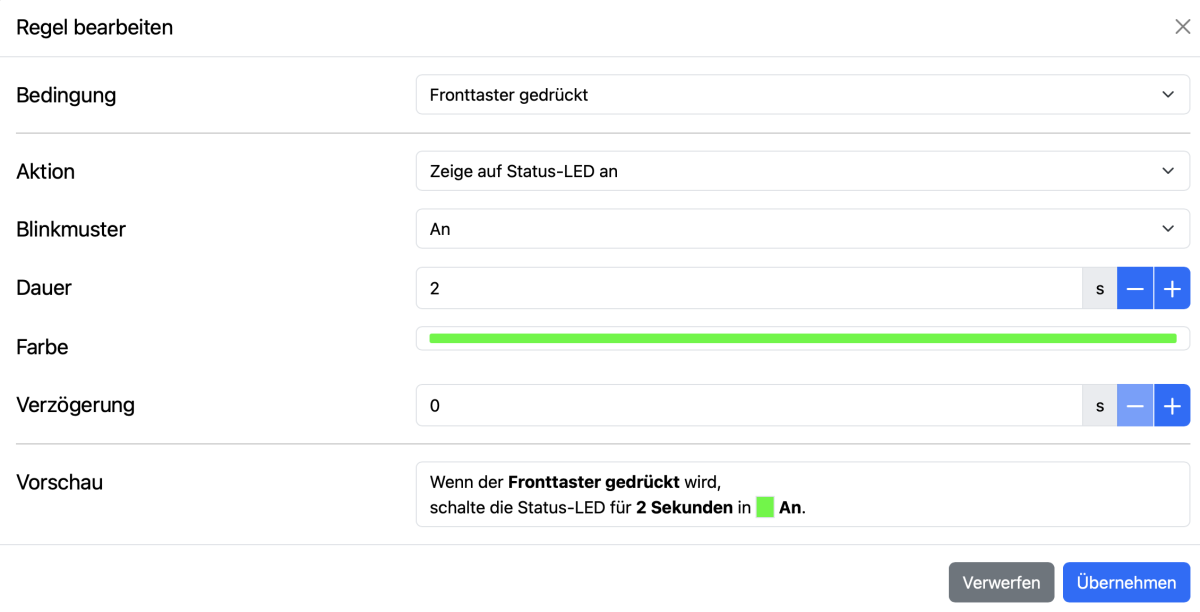
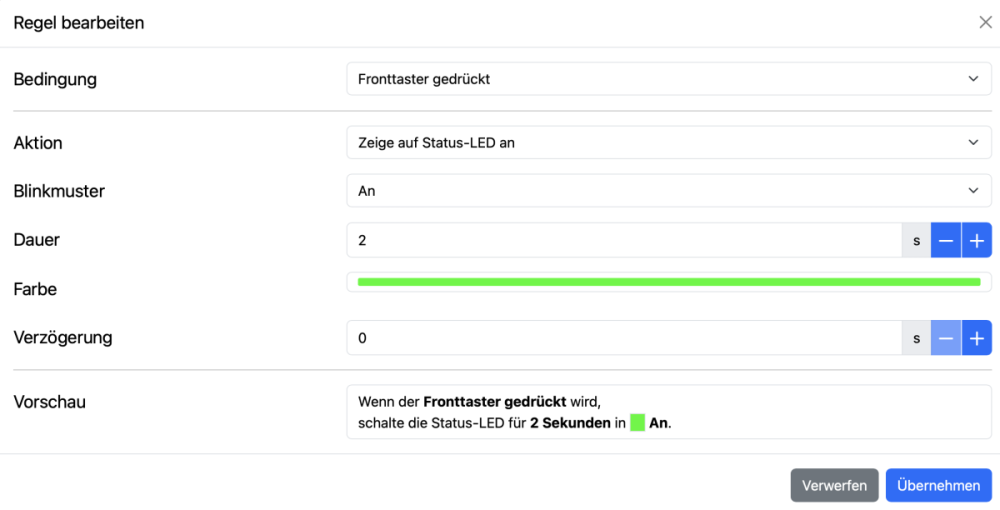
Kann es sein, dass sobald evcc verwendet wird, der LED-Ring nicht mehr funktioniert? Ich schalte per MQTT bei Tastendruck den Lademodus auf "now" und möchte als Bestätigung für den Tastendruck den LED-Ring kurz Grün aufleuchten lassen. Eine Automatisierung "Bei Tastendruck LED 2s auf Grün" hab ich in der Wallbox angelegt, funktioniert aber überhaupt nicht. Bei Tastendruck leuchtet der Ring einfach nur kurz Blau. Habe zwei Wallboxen, bei beiden funktioniert es nicht wie gewünscht. Es gibt die Möglichkeit die Funktion "Status-LED-Steuerung" auf extern umzustellen, aber auch das hat keinerlei Funktion. Ist das ein Bug in der aktuellen Software?
-
Das Problem hat sich von selbst gelöst 😉 Der Fiat meldet kurz nach dem Einstecken "Ladeprobleme, Wallbox prüfen". Wenn man dann aber einfach nix macht und wartet, beginnt nach ca. 30 Sekunden der Ladevorgang korrekt. Also ist die Meldung im Fiat falsch.
-
Protokolle von heute. Der Ladevorgang wurde nach dem 2.Einstecken verzögert gestartet. warp4-86e3-Debug-Report-2026-09-06T16-00-09-083.txt warp4-86e3-EVSE-Ladeprotokoll-2026-09-06T16-00-03-061.txt
-
warp4-86e3-Debug-Report-2026-09-05T12-22-21-562.txt
-
Hallo, aktuell haben wir noch die Warp4-Smart, diese wird aber demnächst gegen die Warp4-Pro getauscht ;-) Im 1. Logfile wurde das Starten des Ladevorgangs trotz mehrmaligen Ein- und Ausstecken nicht gestartet. Erst nachdem die Wallbox über die Weboberfläche neu gestartet wurde, wurde der Ladevorgang sofort nach Einstecken problemlos gestartet (siehe 2. Logfile). Der Fiat 500e meldet im Display "Ladefehler, Wallbox prüfen" im Fehlerfall. Bisher war es immer so, dass mindestens 3 Mal Ein- und Ausgesteckt werden musste, bis das Laden gestartet wurde. Soll ich einfach warten, bis die Warp4-Pro geliefert wurde, oder macht eine Fehlersuche jetzt schon Sinn? warp4-86e3-EVSE-Ladeprotokoll-2026-09-04T21-30-42-073.txt warp4-86e3-EVSE-Ladeprotokoll-2026-09-04T21-28-51-806.txt