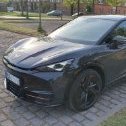
Geschrieben February 8, 2026 at 12:228. Feb 2026 Hallo,ich würde gebeten meine Lösung hier mal kurz zu beschreiben.Ich nutze:2x WARP3 ProCupra Tavascan VZSeat Mii Electric2x WiCAN OBD2-CAN Adapter von MeatPi (WICAN-OBD-C3)Auf einem Ubuntu Server läuft die aktuelle evcc Version und ein Mosquitto Broker.Das WiCAN Modul hat die Firmware v4.12-102-ge1d0a09.Hier die Config vom WiCAN für den Mii:{ "config": { "wifi_mode": "APStation", "ap_ch": "1", "sta_ssid": "XXX", "sta_pass": "XXX", "sta_security": "wpa2", "can_datarate": "500K", "can_mode": "normal", "port_type": "tcp", "port": "3333", "ap_pass": "XXX", "protocol": "auto_pid", "ble_pass": "123456", "ble_status": "disable", "sleep_status": "disable", "sleep_volt": "13.1", "sleep_time": "16", "batt_alert": "disable", "mqtt_en": "enable", "mqtt_url": "mqtt://10.10.10.10", "mqtt_port": "1883", "mqtt_user": "", "mqtt_pass": "", "keep_alive": "30", "mqtt_tx_topic": "wican/tx", "ap_auto_disable": "enable", "mqtt_tx_en": "disable", "mqtt_rx_topic": "wican/rx", "mqtt_rx_en": "disable", "mqtt_status_topic": "mii/status", "mqtt_elm327_log": "disable" }, "auto_pid_car_data": { "cars": [ { "car_model": "Seat Mii", "init": "", "pids": [] } ] }, "auto_pid": { "initialisation": "ATSP6;ATST96;", "grouping": "disable", "autopid_polling": "enable", "group_dest_type": "Default", "destination": "", "cycle": "5000", "car_specific": "disable", "ha_discovery": "disable", "car_model": "Seat Mii", "pids": [ { "Name": "SoC", "Init": "ATSH7E5;ATCRA7ED;", "PID": "22028C", "Expression": "B4/2.4", "MinValue": "0", "MaxValue": "100", "Period": "10000", "Type": "MQTT_WallBox", "Send_to": "mii/soc" }, { "Name": "Range", "Init": "ATSH714;ATCRA77E;", "PID": "2222E0", "Expression": "(B4*256)+B5", "MinValue": "0", "MaxValue": "250", "Period": "10000", "Type": "MQTT_WallBox", "Send_to": "mii/range" }, { "Name": "Odometer", "Init": "ATSH7E5;ATCRA7ED;", "PID": "2202BD", "Expression": "((B6*65536)+(B7*256)+B9)", "MinValue": "", "MaxValue": "", "Period": "10000", "Type": "MQTT_WallBox", "Send_to": "mii/odometer" } ], "std_pids": [], "standard_pids": "enable", "ecu_protocol": "9" } }Hier die Config vom WiCAN für den Tavascan:{ "config": { "wifi_mode": "APStation", "ap_ch": "1", "sta_ssid": "XXX", "sta_pass": "XXX", "sta_security": "wpa2", "can_datarate": "500K", "can_mode": "normal", "port_type": "tcp", "port": "3333", "ap_pass": "XXX", "protocol": "auto_pid", "ble_pass": "123456", "ble_status": "disable", "sleep_status": "disable", "sleep_volt": "13.1", "sleep_time": "16", "batt_alert": "disable", "mqtt_en": "enable", "mqtt_url": "mqtt://10.10.10.10", "mqtt_port": "1883", "mqtt_user": "", "mqtt_pass": "", "keep_alive": "30", "mqtt_tx_topic": "wican/tx", "ap_auto_disable": "enable", "mqtt_tx_en": "disable", "mqtt_rx_topic": "wican/rx", "mqtt_rx_en": "disable", "mqtt_status_topic": "tavascan/status", "mqtt_elm327_log": "disable" }, "auto_pid_car_data": { "cars": [ { "car_model": "VW: ID", "init": "ATST96;ATFCSD300000;ATFCSM1;", "pids": [ { "pid": "22028C1", "pid_init": "ATSP7;ATCP17;ATSHFC007B;ATFCSH17FC007B;ATCRA17FE007B;", "parameters": [ { "name": "SOC", "expression": "B4*0.461-10.64", "unit": "%", "class": "battery", "period": "5000", "min": "0", "max": "10000", "type": "MQTT_WallBox", "send_to": "tavascan/soc" } ] }, { "pid": "222AB62", "pid_init": "ATSP6;ATCP18;ATSH710;ATFCSH710;ATCRA77A;", "parameters": [ { "name": "RANGE", "expression": "(B5*256)+B6", "unit": "km", "class": "distance", "period": "5000", "min": "", "max": "", "type": "MQTT_WallBox", "send_to": "tavascan/range" } ] }, { "pid": "22295A", "pid_init": "ATSP7;ATCP17;ATSHFC0076;ATFCSH17FC0076;ATCRA17FE0076;", "parameters": [ { "name": "ODOMETER", "expression": "[B4:B6]", "unit": "km", "class": "distance", "period": "5000", "min": "0", "max": "", "type": "MQTT_WallBox", "send_to": "tavascan/odometer" } ] } ] } ] }, "auto_pid": { "initialisation": "", "grouping": "disable", "autopid_polling": "enable", "group_dest_type": "Default", "destination": "", "cycle": "5000", "car_specific": "enable", "ha_discovery": "disable", "car_model": "VW: ID", "pids": [], "std_pids": [], "standard_pids": "disable", "ecu_protocol": "6" } }Beim Tavascan gibt es aktuell mit der Firmware und mit den Einstellungen auch keinen Alarm, wenn der PKW abgeschlossen ist...In evcc ist die Konfiguration dann wie folgt, als Benutzerdefiniertes Gerät:title: Seat Mii icon: car capacity: 32 phases: 2 soc: source: mqtt topic: mii/soc range: source: mqtt topic: mii/range odometer: source: mqtt topic: mii/odometer features: - welcomecharge onIdentify: mode: pvUnd gleiches für den Tavascan:title: Cupra Tavascan icon: car capacity: 77 phases: 3 soc: source: mqtt topic: tavascan/soc range: source: mqtt topic: tavascan/range odometer: source: mqtt topic: tavascan/odometer features: - welcomecharge onIdentify: mode: pvAlso der Mosquitto Broker, der auf dem Unbuntu Server läuft, ist der Zentrale Datenaustauschpunkt. Dieser wird sowohl von den Wallboxen, WiCAN Modulen und vom evcc verwendet um die entsprechenden Infos auszutauschen.In evcc ist bei den Wallboxen ein Standard Fahrzeug hinterlegt und das Update Verhalten steht auf "immer", das Update-Intervall auf 1 Minute und das interpolieren ist deaktiviert.In der Garage ist ein Access Point und sobald eines der Autos in diese Reichweite gelangt wird der SoC an den MQTT Broker gesendet, evcc bekommt die Informationen und zeigt diese an. Ist der PKW nicht in Reichweite, dann zeigt evcc nur die zuletzt erhaltenen Werte an.Also das funktioniert hier so wirklich super...Viele GrüßeStefan
Geschrieben February 9, 2026 at 08:389. Feb 2026 Hallo @Raudi welches WiCAN Modul benutz du genau, da es ja scheinbar eine größere Auswahl gibt:
Geschrieben February 9, 2026 at 09:349. Feb 2026 Für den OBD2 Port gibt es nur den WICAN und den WICAN PRO.Der einfache reicht aber für diese Zwecke hier völlig aus.Nutze ihn auch schon seit gut 6 Monaten mit unserem Ioniq um den SOC an EVCC zu senden.Klappt auch hier einwandfrei.@Raudi Was hat das für eine Funktion ?features: - welcomechargeWird damit das Vorwärmen aktiviert, wenn das Kabel steckt ?
Geschrieben February 9, 2026 at 10:089. Feb 2026 Hallo @Ben77 @RaudiIst bekannt ob:Am 9.2.2026 um 10:34 schrieb Ben77: Für den OBD2 Port gibt es nur den WICAN und den WICAN PRO.auch für einen Skoda Elroq Modelljahr 2025/2026 funktioniert?
Geschrieben February 9, 2026 at 14:129. Feb 2026 Autor Einfach nur nach WICAN-OBD-C3 in Google suchen und den ersten nicht gesponserten Link zum Mouser Shop.Das "welcomecharge" ist z.B. bei E-Autos der MEB Plattform wichtig, damit da beim anstecken nicht die rote LED an geht. Dadurch wird sofort beim anstecken mit dem beladen begonnen und wenn keine Sonne da ist, nach dem Abschalt-Timer gleich wieder beendet. Wenn beim anstecken kein Strom anliegt, dann leuchtet die LED an PKW nach dem weiß blinken nach einem Moment rot...Also ich habe bei mir die ID.Serie Settings genutzt, daher denke ich, dass der Elroq sicherlich auch funktioniert. Hier gibt es auch noch umfangreiche Infos: https://github.com/meatpiHQ/wican-fw
Geschrieben February 9, 2026 at 16:079. Feb 2026 Hallo @Raudi Habe diesen Shop gefunden Mich irritiert die 20€ Porto ab München?
Geschrieben February 9, 2026 at 16:319. Feb 2026 @meierchen006 Woher schließt Du denn, dass Mouser den Artikel in einem deutschen Lager verfügbar hat? Mouser ist so ein klitzekleiner Elektronik-Distributor der weltweit Läger betreibt.Ein Blick auf die Herstellerwebsite hat beide Anbieter gelistet. Somit, entweder bei Mouser bestellen oder nach dem zweiten Anbieter. Mehrwertsteuer, ggf. Einfuhrumsatzsteuer und ggf. Gebühren für zolltechnische Abwicklung beachten falls ein Eigenimport in Betracht gezogen wird.
Geschrieben February 9, 2026 at 17:319. Feb 2026 Hallo @on-offWeil ich hier dachte das ich einen Shop in Deutschland habe und 345 Lieferbar sind!
Geschrieben February 9, 2026 at 17:569. Feb 2026 @meierchen006 und Du glaubst also allen Ernstes, dass hinter ner Münchner Nummer auch ein Lager ist? Das ist ne Telefonnummer von nem Callcenter der wo auch immer sitzt oder ggf. einem Vertriebsbüro.Ich würde vorschlagen, dass Du jetzt mal eine Suchmaschine nutzt und nach Mouser Electronics und Lager oder Hauptlager schaust. Dann solltest Du erkennen mit wem Du es zu tun hast bei Mouser. Die spielen in der Liga wie RS Components oder Amazon für elektronisch Bauteile. Eigentlich alle Sendungen von denen kommen aus deren "klitzekleinen" Hauptlager in den USA. Oder bestellst halt beim Hersteller MeatPii in Australien wenn Dir Mouser nicht zusagt. Da dürften die Versandkosten noch spannender sein.Und dann auch GERNE wieder zurück zum ( technischen) Thema des Threads!
Geschrieben February 9, 2026 at 18:509. Feb 2026 @meierchen006 ,ich habe noch einen WiCAN in der Schublade liegen, den ich nicht nutzen kann, weil bei meinem ID.4 reproduzierbar die Alarmanlage losgeht, wenn der Wagen abgeschlossen ist und auf den OBD-Bus zugegriffen wird. 🚨Bei Interesse gerne PM…
Geschrieben February 9, 2026 at 19:369. Feb 2026 On 2/9/2026 at 7:50 PM, poohnet said:ich habe noch einen WiCAN in der Schublade liegen, den ich nicht nutzen kann, weil bei meinem ID.4 reproduzierbar die Alarmanlage losgeht, wenn der Wagen abgeschlossen ist und auf den OBD-Bus zugegriffen wird. 🚨Hast du das schon mit der Firmware-Version von Raudi getestet?On 2/8/2026 at 1:22 PM, Raudi said:Das WiCAN Modul hat die Firmware v4.12-102-ge1d0a09.[…]Beim Tavascan gibt es aktuell mit der Firmware und mit den Einstellungen auch keinen Alarm, wenn der PKW abgeschlossen ist...
Geschrieben February 9, 2026 at 20:339. Feb 2026 Hallo @poohnet Danke für das Angebot, aber ich möchte im Moment noch darauf verzichten. Ich muss erstmal mein Auto so kennen lernen, und wenn das ganze viel Programmiertätigkeit braucht ist das nichts für mich. Habe noch den einen oder anderen Bericht im Netz gefunden, ist doch ziemlich kompliziert.Und ein ID4 sollte auch ziemlich ähnlich mit meinem Elroq sein, dieser hat aktuell die Firmware 5.6 drauf. Ich. Warte lieber noch ab.
Geschrieben February 10, 2026 at 05:2710. Feb 2026 Autor Am 9.2.2026 um 19:50 schrieb poohnet: @meierchen006 ,ich habe noch einen WiCAN in der Schublade liegen, den ich nicht nutzen kann, weil bei meinem ID.4 reproduzierbar die Alarmanlage losgeht, wenn der Wagen abgeschlossen ist und auf den OBD-Bus zugegriffen wird. 🚨Teste noch mal mit der Firmware, die ich oben genannt habe. Mit der vorherigen war es bei meinem Tavascan auch so, mit der neuen nicht mehr. Irgendwas hat sich da geändert.Edit: Man sollte evtl. doch die folgenden Posts alle erstmal lesen. 😄 Ja so wie MatzeTF auch schon schrieb... bearbeitet February 10, 2026 at 05:3110. Feb 2026 von Raudi
Geschrieben February 10, 2026 at 05:3310. Feb 2026 Autor Am 9.2.2026 um 18:56 schrieb on-off: Oder bestellst halt beim Hersteller MeatPii in Australien wenn Dir Mouser nicht zusagt. Da dürften die Versandkosten noch spannender sein.Ich habe damals gleich 2 bestellt, ob wohl ich zuerst nur einen gebraucht habe, dann waren es "keine" Versandkosten mehr...
Geschrieben February 10, 2026 at 06:2710. Feb 2026 On 2/10/2026 at 6:27 AM, Raudi said:Teste noch mal mit der Firmware, die ich oben genannt habe. Mit der vorherigen war es bei meinem Tavascan auch so, mit der neuen nicht mehr. Irgendwas hat sich da geändert.Seitdem ich die ersten Tests gemacht (und wahrscheinlich die Nerven unserer Nachbarn arg strapaziert 😂) habe, liegt der Dongle ungenutzt in der Schublade. Aber besten Dank für den Hinweis, dann teste ich das nochmal mit der aktuellen Firmware...
Geschrieben February 10, 2026 at 06:4510. Feb 2026 Autor Am 10.2.2026 um 07:27 schrieb poohnet: Seitdem ich die ersten Tests gemacht (und wahrscheinlich die Nerven unserer Nachbarn arg strapaziert 😂) habe, liegt der Dongle ungenutzt in der Schublade. Aber besten Dank für den Hinweis, dann teste ich das nochmal mit der aktuellen Firmware...Ja, das kenne ich, sowas blödes. Mir war das auch zuerst nicht bewusst und habe das Auto beim Kollegen abgestellt mit dem ich ne Fahrgemeinschaft habe und dann einige Minuten später hat die Nachbarin vom Kollegen angerufen, dass da permanent der Alarm los geht. Man kann das Auto dann ja aus der Ferne öffnen, und damit dem Alarm abstellen, aber wird die Tür dann nicht physisch geöffnet, dann schließt er wieder ab und das ganze geht von vorn los. Also mussten wir umkehren...




Join the conversation
You can post now and register later. If you have an account, sign in now to post with your account.