Superp
Members
-
Benutzer seit
-
Letzter Besuch
Alle erstellten Inhalte von Superp
-
Some new observations. First, I configured a stack as AP only, letting it create its own network, USB power-only. After 30 minutes, the stack was still responding normally via that dedicated network. Second, I re-configured the same stack as client only and hooked it up via USB to a Mac. It soon stopped responding on its IP address. It is then still possible to connect via USB/localhost, as I said. When I do, the Wifi status in Brickv still shows changes in Signal Strength. So the extension seems to still be running, but it no longer responds on the network. Third, I re-configured the same stack as client and AP, USB power-only. This has now been running for an hour. When I connect to the AP (dedicated SSID), the stack still responds. When I connect to the client (regular Wifi network), it times out. The problem seems to be specific for the Wifi client function. Let me know i you have any ideas.
-
Yes, as I said, both stacks have the same problem. Both extensions were part of the same order. The stacks are USB-powered, so I can't plug in USB after they become unresponsive. But when I connect (& power) via USB, the Wifi will become unresponsive as described, but the stack keeps responding via USB/localhost. I postponed any and all connections, including pings. If I have the time today, I will try to configure a stack: a) AP only, b) client+AP, and see what happens.
-
-
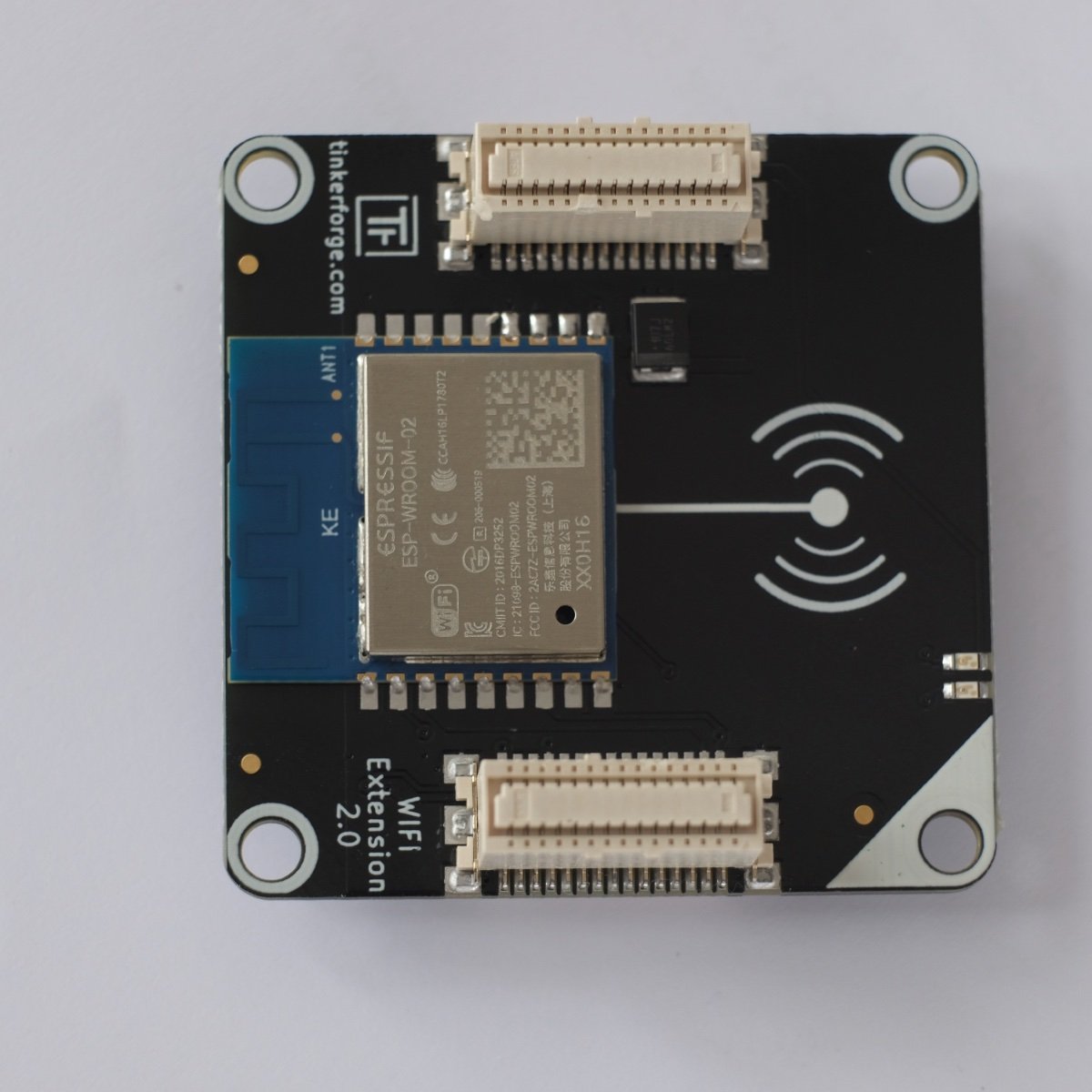
That is why I uploaded the image. The four rightmost contacts look like they have been hand-soldered, post assembly. There are also traces of heating visible on the board. The speck looks metallic. It is firmly stuck on the 5th pad from the right. [...] I scrapped it off, it is a tiny bit of metal. [...] Flashing the extension to 2.1.5 [...] Flashing the extension to 2.1.6 (!!) More to follow
-
Well, thank you for answering!! This issue was actually discovered two months ago by @duawand fixed by @photron within 24 hours with a patched version of Brickv which you can download there. That patched version works on Apple Silicon, and will flash your Master Brick. The discussion there is in German, and was apparently forgotten by the good people at Tinkerforge. To summarise: with the current stable version of Brickv, 2.4.20, on a computer with Apple Silicon (M1 etc.), when you put a Master Brick in bootloader mode, Brickv will not be able to flash it. The "serial port" drop down will be greyed out; you can not select your Brick. Unless you have an alternate computer available, like an Intel Mac, this means when you attempt to flash a Brick, it becomes unusable. I know of no documented way to exit from bootloader mode. People using recent Macs, be warned. The good news is the patched version of Brickv solves this.
-
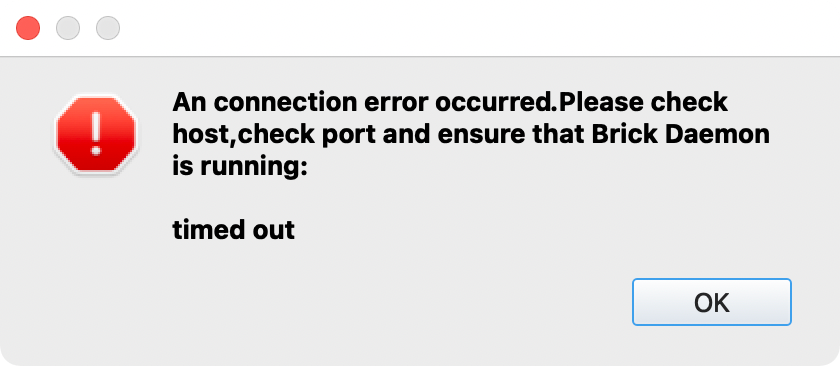
Hello, I am having some trouble with two stacks, both becoming unresponsive when connected via Wifi. Last week I received two Master Brick 3.1's and two WIFI Master Extension 2.0's plugged the extensions each on top of a Master Brick connected each stack via USB, and in Brickv: configured the extension configured and saved Wifi reset unplugged the stacks and powered them up with separate power supplies Immediately, both stacks had the same problem (when I boot up just 1 of the stacks): They boot up and connect to WLAN At this point, they behave normally: They respond to pings (response <15ms) They can be discovered and used in Brickv They can be discovered and used via Bindings After some time (between 5 seconds and 10 minutes, approx), the stacks stop responding: each of the three methods above just produces timeouts To get back online, I have to reset the Master Bricks or disconnect/reconnect power. The most extreme case is where a stack booted, I ping'ed it, I received 3 responses and then only timeouts. Other times, a stack works normally for up to 10 minutes, then hangs. I have also tried postponing first connection for 10 minutes after booting. First connection after 10 minutes also results in timeouts, so the stack "hangs" by itself (?). The WLAN is otherwise stable and fast; the router is an ASUS RT-AX86U. Things I have tried: Fixed IP vs DHCP assigned IP Different power supplies Reposition stack in relation to router Configure different Wifi standards (b/g/n) No Bricklets attached vs Bricklets attached Connect from a different host (MacOS vs Pi OS) Reboot Wifi router Repeat init/config of stack from start While trying to solve the problem, there were distractions: I discovered the Wifi status LED behaves oddly. This issue is thought to be unrelated. Discussed here. I discovered the Master Bricks return unexpected values for chip temperature. Also thought to be unrelated. Discussed here. One of the Master Bricks died; it appears stuck in bootloader mode. Solution still pending. Discussed here. This is the dialogue Brickv produces when a stack times out: This is what happens when I ping a stack right after it boots, and again 15 minutes later. No connection attempts in between: m1:~ ping 192.168.1.41 PING 192.168.1.41 (192.168.1.41): 56 data bytes 64 bytes from 192.168.1.41: icmp_seq=0 ttl=128 time=92.117 ms 64 bytes from 192.168.1.41: icmp_seq=1 ttl=128 time=9.247 ms 64 bytes from 192.168.1.41: icmp_seq=2 ttl=128 time=6.411 ms 64 bytes from 192.168.1.41: icmp_seq=3 ttl=128 time=4.392 ms 64 bytes from 192.168.1.41: icmp_seq=4 ttl=128 time=5.195 ms 64 bytes from 192.168.1.41: icmp_seq=5 ttl=128 time=6.888 ms ^C --- 192.168.1.41 ping statistics --- 6 packets transmitted, 6 packets received, 0.0% packet loss round-trip min/avg/max/stddev = 4.392/20.708/92.117/31.971 ms m1:~ ping 192.168.1.41 PING 192.168.1.41 (192.168.1.41): 56 data bytes Request timeout for icmp_seq 0 Request timeout for icmp_seq 1 Request timeout for icmp_seq 2 Request timeout for icmp_seq 3 Request timeout for icmp_seq 4 ^C --- 192.168.1.41 ping statistics --- 6 packets transmitted, 0 packets received, 100.0% packet loss Let me know if you need more info.
 Thanks for explaining in detail. This is certainly an interesting bug. To conclude, what happens next? There will be new firmware, or Now that we know what happens, we leave it as it is If you could clarify that? I propose we then close this threat and I start a new threat about the unresponsive stacks.I know this is a long shot, but: My Master Bricks have a type of microcontroller that is supposedly a 1:1 replacement for a different type, but which turns out to be different in at least 1 very small detail: °C scale. When I combine my Master Bricks into stacks with Wifi extension 2, their Wifi status LEDs act weird, and the stack becomes unresponsive when connected only via Wifi. Probably just coincidence.Thanks for your quick help and clarification. Since the units reported already vary depending on microcontroller, would it not be an idea to switch to 1/1 °C once and for all? I am eager to test the new FW, but as I already have 1 out of 2 Master Brick 3.1's stuck in bootloader mode, I must postpone this. I'll get back to you as soon as I can.rtrbt, Thanks for your quick help. When I run your script, I get the exact same output. But after the green LED is switched off, it does not come back on again. Software reports the LED is ON, in reality it is OFF, until I reset or powercycle. To be sure: I reconfigured the extension in Brickv (extension 0 / WIFI 2.0) and configured it again as client only. I reset the Master Brick, and powercycled the stack. No change. Once off, it is not possible to turn the LED back on. I have two brand new stacks (MB3.1/Wifi2) that both become unresponsive after some time when connected via WLAN. I hooked up one stack via USB to be able to continue development, and then this problem with the Wifi status LED turned up. My thinking was, this LED problem is unrelated, but maybe it is not. Maybe whatever is making my stacks unresponsive via Wifi is also causing the problem with the Wifi status LED. The other Master Brick, while trying to address the above problem, entered zombie mode, as I reported here.Hello, I have a WIFI Master Extension 2.0 mounted on top of a Master Brick 3.1 As per the documentation I can control the green status LED of the WIFI Extension 2.0 with two methods: #enable_wifi2_status_led #disable_wifi2_status_led When I call the disable method, the led turns off, and #is_wifi2_status_led_enabled returns false, as expected. When I call the enable method, the led does not turn back on, but #is_wifi2_status_led_enabled returns true. Only when I reset the Master Brick does the green LED turn on again. Am I doing something wrong or is this a bug? (Edited to clarify #is_wifi2_status_led_enabled returns expected result)Keeping erase pressed while plugging in USB does not make a difference. ioreg reports this: ioreg -p IOUSB +-o Root <class IORegistryEntry, id 0x100000100, retain 28> +-o AppleT8103USBXHCI@01000000 <class AppleT8103USBXHCI, id 0x1000002af, registered, matched, active, busy 0 (11925 ms), retain 115> | +-o IOUSBHostDevice@01100000 <class IOUSBHostDevice, id 0x100032648, registered, matched, active, busy 0 (265 ms), retain 24> +-o AppleT8103USBXHCI@00000000 <class AppleT8103USBXHCI, id 0x1000002ab, registered, matched, active, busy 0 (7757 ms), retain 103>Hello, I am having trouble with a Master Brick 3.1, which I think is in bootloader mode: - while trying to solve an other problem, at some point "erase" and "reset" were pressed - none of the Brick's LEDs light up - Brickv does not recognise the Brick (it does recognise an other MB 3.1: same cable, same USB port) When trying to flash the Brick, it is not recognised either: Update/Flashing -> Brick -> Serial Port: "No Brick in Bootloader found" In other words, the Brick seems "dead". How can I revive it? (Brickv 2.4.20 on MacOS 12.0.1 on Apple Silicon) Any help is appreciated.On Pi OS, most likely /var/log/brickd.log If you want to monitor, try tail -f /var/log/brickd.log in a terminal. Hit ctrl-C to exit. I have ordered a CO2 Bricklet 2.0, but it is taking its time.Michael, you are a goldmine of information. Thank you! I second that. The Bosch module behaves quite like a black box; it would be helpful if it was a bit more transparent. Even better if you could control what happens inside (re-load calibration). Maybe one of the Tinkerforge guys like @photron can chip in and tell us how likely it is to get this implemented? CO2 as an alternative measurement sounds like an idea worth investigating. Thank you for explaining the IAQ/CO2 relationship in such detail, very helpful. BTW, do you not have problems with the LCD Bricklet flooding the Brickd log on your RPi?Michael, What a brilliant project you have created! I had big plans with the Air Quality Bricklet, supplying input for a light art object, but found the readings not reliable enough for a public project (see discussion here). I know of no way to save/load calibration data. So, I took the Bricklet out of the project, but I am still very interested in using it when I can make the readings "behave". Best!Hi Max, Excuse me for interrupting in the wrong language. I am not sure I totally understand your question, but I'll attempt to help. You may want to have a look at Totem, a robotics brand. Among many other things, Totem sells 100x100mm plastic boards which are the missing link between Tinkerforge and Makerbeam. They have a grid of holes 100% compatible with Tinkerforge, and combine with Makerbeam super easy. I use them all the time to mount Tinkerforge projects to Makerbeam frames. You can easily cut them to size with a knife, drill or cut holes, or combine several for bigger projects. Because they cost €0.55 each, you can freely experiment. Hope this helps.duplicateBorg, mine has been running FW 2.0.6 for 5 days uninterrupted. It started with accuracy 0. Then 1. Yesterday accuracy was 3. Today it is 0 again, without rebooting. My point being that IAQ accuracy will vary wildly anyway. Your sample dropping to 0 after reboot may be caused by rebooting (losing calibration), or may be just "normal" behaviour (picking up calibration at some point during previous 12 hours). That's what I think.Hi luxor, I am looking into some of the same problems, but not working on a disco ball. Modulor I have used and can recommend, too. For specialist plastics with mirror- or other optical effects, Pyrasied might be of use to you sometime.