duaw
Members
-
Benutzer seit
-
Letzter Besuch
Alle erstellten Inhalte von duaw
-
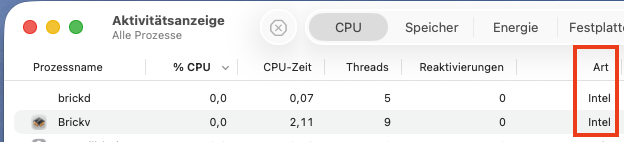
Hallo! Bitte legt mal einen kleinen mentalen Merker an: aktuelle brickd, Brickv werden so wie sie sind "zukünftig" wohl nicht mehr unter macOS laufen. Der Herbst und 27 kommen schneller als man denkt. Ich würde mich freuen, wenn sie das doch täten! Cheers, Uwe
-
Success! Thanks! Strange.
-
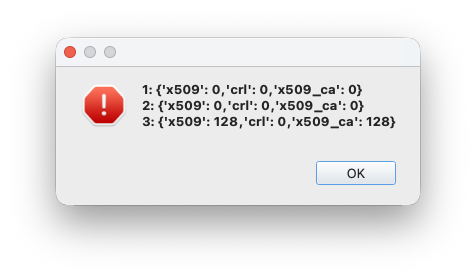
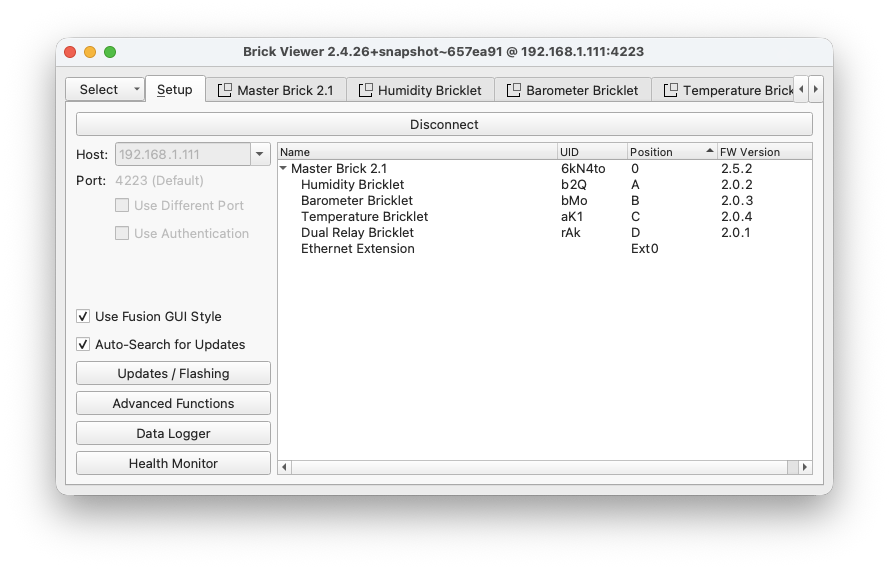
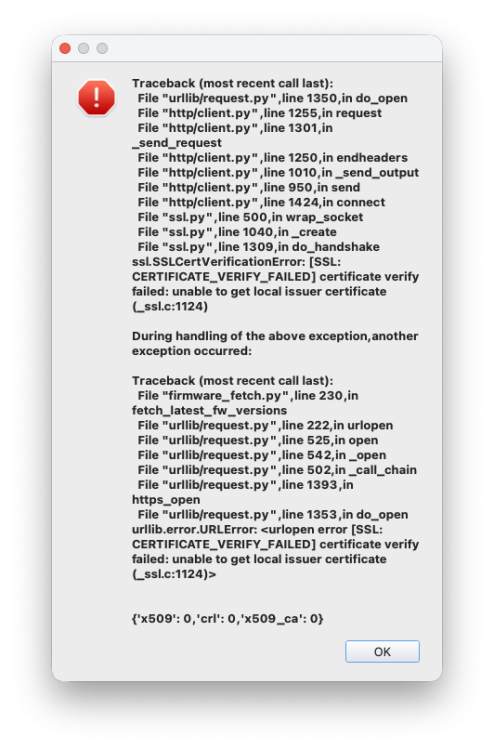
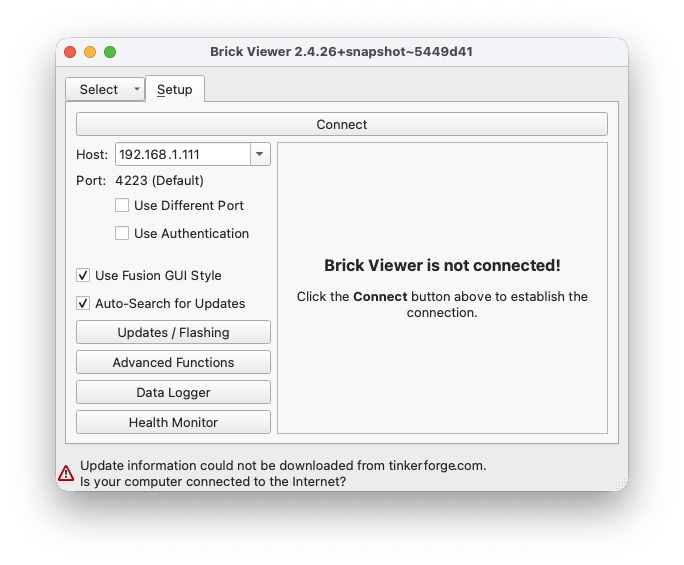
Same messages on my Mac mini w/ this version. I bet this version of brickv runs fine on my MacBook Pro (as did all other previous versions of brickv on THAT machine). Don't have it her right now.
-
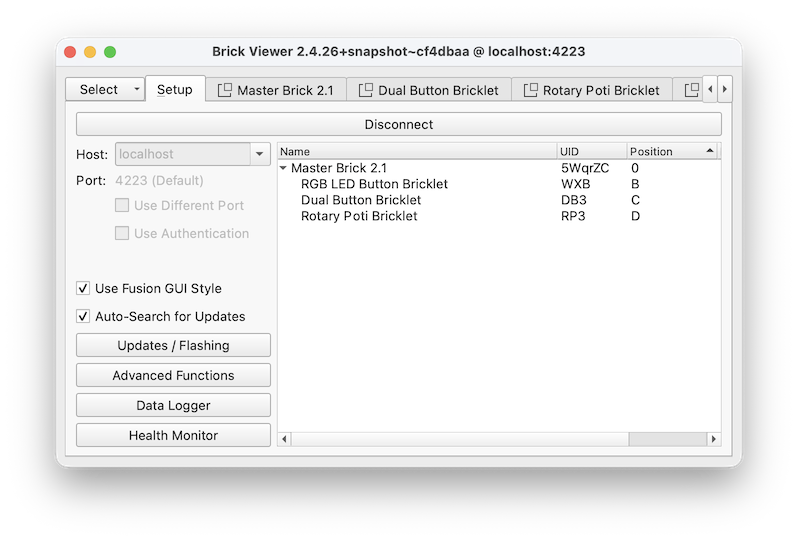
Same the messages here on the Mac mini w/ this version. And this version too runs flawlessly on the MacBook Pro (same OS) like the regular one. Why is this behavior so different?
-
python seem to be slightly different on both machines. I am not a python person. I probably messed up python on the Mac mini while it is ok for Brickv on the MacBook Pro. There is Python 2.7.18 (python --version, /opt/homebrew/bin/python2) and Python 3.14.3 (python3 --version, /opt/homebrew/bin/python3) on both machines. Probably python installations are slightly different on both machines … But, honestly, I do not know what happens under the hood. I, too, do not succeed to get the Brickv branch running.
-
Files attached. curl.txt python.txt
-
Hi, all! I am going to use another Raspi Pi /w Tinkerforge. I currently run Pi 3, Pi 4. Masterbrick over USB works and a HAT is currently attached to Pi 3. Pis are with Debian 12. What ist the HAT current status w/ Pi5 ? (I know, incredibly expensive … ) How are things looking with/ Raspian 13 (Trixie) ? Any experiences? Cheers, Uwe
-
Please forgive my ignorance. Wouldn't that affect every running brickv running in the world out there? But on my Laptop I do not see this message. I hate this traffic sign. Any idea when that release will come?
-
Hmm, I'm pretty sure I run the same version of Brickv on the same version of macOS in my office. There everything runs as expected.
-
Mir ist die Meldung unten im Brickv auf dem macMini aufgefallen. Weiß nicht, seit wann das da steht. Beim MacBook taucht sie nicht aus. Ich bin mir nicht bewusst dass ich etwas umkonfiguriert habe. Eine Idee? Ich finde nichts an Berechtigungen für Brickv ... Werde mal neu installieren macMini M1, macOS 26.2, neuester Brickv 2.4.26, gerade noch mal installiert. Cheers, Uwe
-
Hallo! Ich habe einen Bestand an Bricks und Bricklets, die ich per MQTT in HA einbinde. Mit denen ich mit Node-Red meine Sachen mache. Das geht gut und ist einfach. Warum soll ich Neues kaufen, wenn das Alte bestens funktioniert? Ja, dann muss auch mal etwas Ersatz her (den es ja noch gibt). Ich mag bei TF das Konzept, die Qualität von HW und SW, den Support. Die rasante Entwicklung rund um ESP hat die Ursprungsidee von TF überrollt. Neu starten würde ich im Anwendungsfall HA heute mit ESP, ESPHome. Cheers, Uwe
-
Compiler complains: Don't know anything about iao. The thing is right. Always. All the functions are declared properly (and defined elsewhere, so the Linker won't complain) but the variable iao is not declared , that is unknown in the scope of where the call sits. It should be declared somewhere so the compiler gets happy und defined exactly once when linking that stuff. Cheers, Uwe
-
Ich ziehe MQTT vor. Das ist eine saubere Sache, die Bindings von TF funktionieren und das kommt der Idee von Node-RED mMn am nächsten. Die "Tinkerforge"-Nodes scheinen länger nicht angefasst worden zu sein. Cheers, Uwe
-
Ich habe mehrere Dateien z.B. mit dem Namen Tinkerforge_mqtt_111.service (111 Ende der lokalen IP vom Stapel) , darin den Service definiert und mit Standard-Bord-Mitteln von Linux (die ich immer neu googeln muss) als Service eingerichtet. [Unit] Description=Tinkerforge MQTT Bindings on master brick 192.168.1.111 After=brickd.service After=mosquitto.service [Service] ExecStart=/usr/bin/tinkerforge_mqtt --broker-host 192.168.1.18 --ipcon-host 192.168.1.111 --global-topic-prefix tinkerforge/111 [Install] WantedBy=multi-user.target Das mit 112, 113, 114. Läuft. Cheers, Uwe
-
Hallo! Ich habe mehrere Instanzen des service unter Linux am laufen. tinkerforge_mqtt_1 , tinkerforge_mqtt_2 , … Jede Instanz bedient einen host. Cheers, Uwe
-
Hallo! "Could not resolve ftp.debian.org" Kannst Du ftp.debian.org anpingen? Bei mir: % ping ftp.debian.org PING debian.map.fastlydns.net (146.75.118.132): 56 data bytes 64 bytes from 146.75.118.132: icmp_seq=0 ttl=59 time=12.158 ms Cheers, Uwe
-
Moin! Die grundlegende Idee des Callback ist es üblicherweise, schnell fertig zu sein. Der Callback ist eine von dir bereit gestellte Funktion, die von TF mit z.B. einem neuen Mess-Wert aufgerufen wird. In der Funktion legst Du den Wert, vielleicht mit anderer Verwaltungsinformation, zügig ab. Fertig. Danach geht es schnell in der aufrufenden (TF-) Software weiter. Deine eigene Software läuft losgelöst davon unter einer eigenen Ablaufsteuerung. Da kannst Du sammeln und an die Queue weiter geben etc. Richtig blöd wäre es ja, wenn während der Ausführung der Callback-Funktion diese erneut aufgerufen würde, oder aufgerufen werden müsste (aber nicht würde) oder ... oder ... Also: "The name of the game is speed!" im Callback. Cheers, Uwe
-
Hallo! Ich möchte ab und an eine weitere Instanz des Brickv starten. Eine erste Suche im Forum hat nicht erbracht, dass diese Frage schon mal gestellt wurde. Es geht: open -n /Applications/Brickv.app startet eine weitere Instanz. Cheers, Uwe
-
Warum sollte das keine gute Idee sein?
-
👍 Sehr schön! Ich warte noch etwas, bis etwas mehr Doku da und weniger Experimentieren notwendig ist.
-
Warnung Der RED Brick ist leider abgekündigt. Mehrere ICs die auf dem RED Brick verwendet werden sind aktuell nicht mehr verfügbar oder haben extrem lange Lieferzeiten. Daher können wir keine neuen RED Bricks mehr fertigen. Als möglichen Ersatz empfehlen wir ein Raspberry Pi (Zero) zusammen mit dem HAT (Zero) Brick Leider ... Oder gibt es in einer Schublade noch welche?
-
-
Ich weiß, es gibt schon länger, gerade und noch weiter viel zu tun. Aber: Stillstand ist Tod. Gibt es eine Perspektive, wie der Baukasten für professionelle Bastler hier aufgefrischt werden kann?
-
Funktioniert.
-
Hallo! Bei meinem Mac mini M1 erscheinen keine seriellen Ports zur Wahl zum Flashen eines Masters (2.1) im BrickV (letzte und vorletzte Version). Passiert auch beim RED. Anschluss direkt am USB-A Port des Mini. (Sonst funktioniert alles.) macOS 11.6 auf Intel Mac läuft (Gott Sei Dank!) Gruß, Uwe